
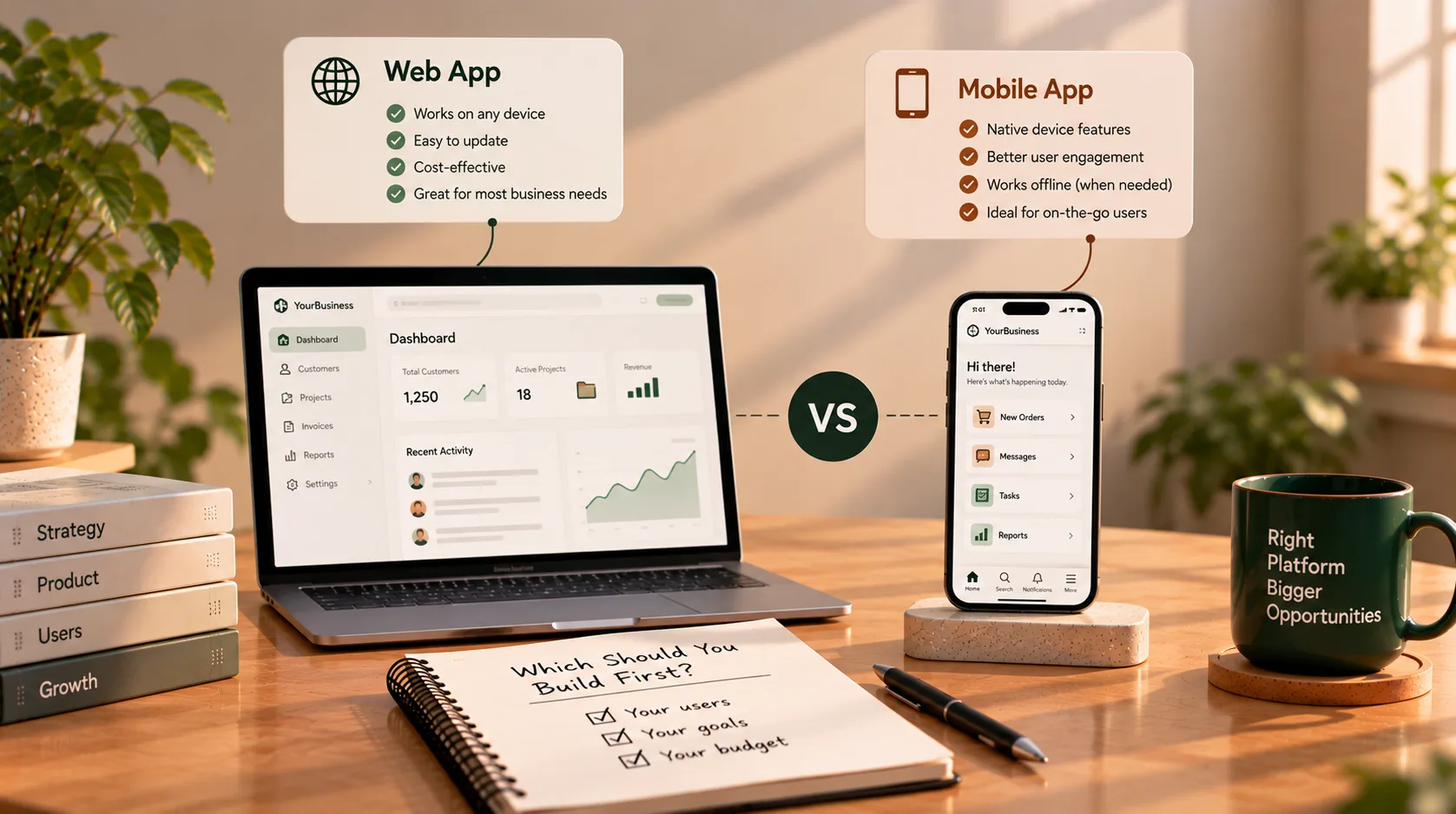
Introduction
When a small business decides to invest in software, one question often comes up early: Should we build a web app or a mobile app first?
It is tempting to assume that a mobile app is the more modern option. An app icon on a customer's phone can feel like a big step forward. But a mobile app is not automatically better than a web application—and building both at the beginning may add complexity before you know which features your customers or employees actually need.
The right choice depends on the job the software needs to do, where people will use it, how they will discover it, and which device capabilities the product genuinely requires.
For many small businesses, a responsive web app is a sensible first step. It can be opened through a link, works across devices with a compatible browser, and can be updated centrally. A mobile app may be the better starting point when the core experience depends on phone hardware, reliable background activity, offline workflows, or frequent use on the move.
This guide compares the options and gives you a practical way to decide.
First, understand the three options
The phrase “app” can mean different things. Before comparing them, it helps to distinguish a website, a web application, a native mobile app, and a progressive web app.
What is a web app?
A web application runs in a browser and lets users do tasks—not just read information. Examples include customer portals, booking systems, dashboards, inventory tools, reporting platforms, and online account management.
Users typically access it through a URL. A well-designed web app can adapt to desktop, tablet, and mobile screens, so people can use the same product on different devices.
What is a mobile app?
A mobile app is built for mobile operating systems, commonly iOS or Android, and is usually distributed through an app store or another supported installation method. Depending on its implementation and permissions, it can make deeper use of device features and platform-specific capabilities.
Mobile apps can be a strong fit for products used frequently on the go, especially when the experience depends on features such as camera workflows, Bluetooth devices, location services, or offline operation.
What is a progressive web app (PWA)?
A progressive web app uses web technologies but can provide some app-like capabilities. Depending on browser and operating-system support, a PWA can be installed, launched from an icon, cache selected resources for offline use, and integrate with some device features. Capabilities vary by platform, so required features must be tested on the actual devices your customers use. See the MDN guide to progressive web apps.
A PWA can be a useful middle ground when you want browser access and some app-like behaviour without immediately maintaining separate native applications.
Web app vs mobile app: the key differences
| Consideration | Web app | Mobile app |
|---|---|---|
| How users access it | Open a link in a browser | Install through a supported distribution channel |
| Device coverage | Can work across desktop and mobile browsers | Usually requires platform-specific work for target operating systems |
| Updates | Server-side updates can become available without users installing a new app version | Updates usually go through the app distribution and release process |
| Discovery | Can be shared through links and may be discoverable through search, depending on the content and access rules | Can be discovered through app stores, referrals, and other channels |
| Device capabilities | Browser APIs provide many features, with platform limitations | Often offers broader access to platform-specific capabilities |
| Offline behaviour | Possible for selected functionality when deliberately designed | Often a stronger fit for extensive offline workflows, though it still requires engineering |
| Best suited to | Portals, dashboards, booking, administration, and cross-device workflows | Frequent mobile use, hardware-heavy tasks, and mobile-first experiences |
| Ongoing work | Browser compatibility, responsive design, hosting, and backend maintenance | Platform testing, release management, device compatibility, and backend maintenance |
These are general differences, not absolute rules. A web app can be complex, and a mobile app can be relatively focused. The important question is which approach supports your users' essential tasks with the least unnecessary complexity.
When should a small business build a web app first?
A web app is often a practical starting point when customers or employees need to access information, manage records, complete forms, or work through business processes.
1. People need to access the product from different devices
If a customer might begin on a laptop and later check an order on a phone, a responsive web app can support both experiences from one browser-based product.
This is especially useful for:
- Customer and partner portals
- Booking and appointment management
- Order tracking
- Inventory and resource management
- Internal dashboards and reporting
- Staff administration tools
You still need to design and test the mobile experience. “It opens in a browser” does not automatically mean it is usable on a small screen.
2. Users arrive through links, search, or business communication
If people need to open a tool from an email, a website, a QR code, a support conversation, or a shared link, browser access can remove an installation step.
For example, a customer who receives a link to review an order or update account details may prefer opening it immediately rather than visiting an app store and installing a separate app.
Private portals and authenticated workflows may not be indexed by search engines, and that can be appropriate. The point is that a web app is easy to distribute through a URL, while public marketing content can live on the website that introduces the product.
3. Your team needs a practical business tool
If the primary users are employees working with records, reports, approvals, or administration, a desktop-friendly web app may fit the way they already work.
Think about a small distribution company that needs to manage customers, stock, order status, and reports. A web application could provide a central place for staff to work, while responsive screens let managers check information from their phones when needed.
The product should be designed around real workflows—not around the assumption that every employee needs an app installed on a phone.
4. You expect to learn and adjust after launch
Early product requirements often change once real users begin using the software. A browser-based product can make it straightforward to deploy many updates centrally, without relying on every user to install a new app version.
That does not mean a web app is automatically faster or cheaper to build. Its complexity still depends on the features, integrations, security requirements, and quality expectations. But for products where workflows are still being validated, a web-first release can be a useful way to learn before investing in more platform-specific experiences.
When should a small business build a mobile app first?
A mobile app can be the right first product when the mobile experience is central to the business—not merely a smaller version of a desktop interface.
1. The product depends on phone hardware
Consider whether your core workflow relies heavily on:
- Repeated camera capture or scanning
- Bluetooth-connected equipment
- Device-specific sensors
- Background location tracking
- Other platform capabilities that browsers cannot provide consistently enough for your requirements
Web technologies can access some device capabilities, but support and behaviour differ across browsers and operating systems. If a capability is essential, test it early on the actual target devices before committing to an architecture.
2. Users need substantial offline functionality
Imagine field technicians working in areas with unreliable connectivity. They may need to open assigned jobs, capture information, save work locally, and synchronise it later.
A web app or PWA can support selected offline workflows, but offline behaviour requires deliberate design: what data is stored, how conflicts are resolved, how users know whether a change has synced, and what happens if a device is lost.
If offline work is a core requirement, compare a PWA with native or cross-platform mobile options using a realistic prototype. Do not assume that any mobile app works offline automatically.
3. People will use it repeatedly throughout the day
A product used frequently while someone is travelling, delivering orders, serving customers, or working on a shop floor may benefit from a dedicated mobile experience.
A mobile app can provide a persistent home-screen presence and platform-specific interaction patterns. However, an icon alone will not create engagement. The product still needs to solve a recurring problem well enough that users choose to return.
4. App-store distribution is part of your strategy
Some businesses have a clear reason to distribute through app stores, whether for customer expectations, product discovery, or platform-specific capabilities. If this is central to your launch strategy, include store requirements, review processes, release planning, and ongoing maintenance in the project scope.
Do not choose an app-store launch simply because it feels more official. First confirm that your target users expect an installed app and that the benefits justify the additional work.
What about a progressive web app?
A PWA may be worth considering when you want a browser-accessible product with some app-like features.
It can be useful when:
- Users should open the product through a link.
- An installable home-screen experience would help.
- The product needs selected offline capabilities.
- You want to validate demand before investing in separate native applications.
However, PWAs are not a universal substitute for native apps. Installation flows, background capabilities, notifications, and device API support vary across browsers and platforms. Review the MDN PWA installation guidance and test your requirements on the devices that matter to your business.
A PWA is an option to evaluate—not a shortcut that removes the need for product design, testing, and maintenance.
How your business type affects the decision
The same business category can need different software depending on its workflow. Use these examples as starting points, not fixed rules.
| Business scenario | A sensible first option to evaluate | Why |
|---|---|---|
| Consulting or professional services | Web app | Client portals, document exchange, project status, and administration often work well in a browser |
| Appointment-based business | Responsive web app | Customers can book through a link; staff can manage schedules and records |
| Small retailer or distributor | Web app | Product, stock, customer, and order administration may benefit from a central workspace |
| Field service team | Mobile app or PWA prototype | Offline job records, camera use, and location may be important |
| Delivery or logistics operation | Mobile-first solution | Drivers may need frequent on-the-go actions, navigation, scanning, and resilient connectivity |
| Subscription software for businesses | Web app first in many cases | Account management, dashboards, and reporting often work well across desktop and mobile browsers |
| Consumer product built around frequent daily use | Test both options | Retention, notifications, and device-specific interactions may influence the experience |
The best choice follows the critical user journey. Map where the user is, what they need to do, what device they have, and what happens if the connection or workflow fails.
Compare the total work—not just the first build
It is difficult to compare costs fairly without a defined scope. A small web app may be simpler than a feature-rich mobile app, but a complex web platform can require more work than a focused mobile product.
When evaluating proposals, ask each developer or team to specify:
- Which user journeys and features are included
- Whether design and prototyping are included
- Which devices, browsers, and operating systems will be tested
- Whether integrations and data migration are included
- What security, permissions, and testing work is planned
- How deployment, store submission, or installation will be handled
- Who maintains the product after launch
- Which future features are excluded from the initial scope
If you build native apps for both iOS and Android, clarify whether the proposal uses separate native codebases or a cross-platform approach. These choices have different trade-offs in skills, performance, platform access, testing, and maintenance.
Do not compare a web-app quote that includes deployment and handover with a mobile-app quote that only covers initial implementation. Compare like with like.
A practical decision framework
Answer these questions before choosing a platform.
- Where will users do the main task? At a desk, on a phone while moving, or in a location with unreliable internet?
- What must the product do on day one? Separate essential workflows from features that can wait.
- Does it depend on device-specific capabilities? Test camera, Bluetooth, location, background activity, or offline requirements early.
- How will users access it? Through a link, search, a sales team, an app store, or a staff workflow?
- How often will they use it? Occasional access and repeated daily use can lead to different design decisions.
- What can your business maintain? Consider platform testing, updates, infrastructure, support, and the skills available to your team.
- What is the smallest useful first release? Build the smallest version that safely completes the core task and lets you learn from real use.
If most answers point to browser access, business workflows, and cross-device availability, start by evaluating a web app. If the product's core value depends on mobile hardware, offline operation, or frequent on-the-go use, evaluate mobile-first options. If both sets of needs matter, prototype the riskiest requirement before making a larger commitment.
Can you build a web app now and a mobile app later?
Yes. Many products can begin with one interface and add another when user needs justify it. The important decision is how to structure the backend and business logic so that the second interface does not require rebuilding everything.
For example, a customer portal might start as a responsive web app. Later, if customers need mobile-specific features, the business can consider a native or cross-platform app that connects to the same backend services.
Planning for reuse does not mean building an elaborate architecture for every possible future. It means keeping data, permissions, and business rules organised, documenting important interfaces, and avoiding unnecessary coupling between the backend and one particular screen.
For an example of a business-facing web product, see the Lanexis Customer Portal project.
Common mistakes to avoid
Building both platforms before validating the need
Launching a web app and mobile apps together can increase the number of interfaces, testing scenarios, and release processes you must manage. Build both at the beginning only when the product requirements justify doing so.
Treating a responsive website as a complete mobile experience
A layout that shrinks to fit a phone may still be difficult to use. Test real tasks on smaller screens, check form inputs and navigation, and make important actions easy to reach.
Assuming every mobile feature requires a native app
Some device capabilities are available through browser APIs or PWAs, although support varies. Verify the exact requirement before deciding that a native app is necessary.
Ignoring offline and sync complexity
Offline support involves data storage, conflict handling, retry logic, user feedback, and security—not just caching a screen. Define what must work offline and test failure scenarios.
Choosing based on trends instead of users
A platform is not valuable because it is popular. It is valuable when it helps users complete important tasks reliably and makes sense for the business to operate over time.
Frequently asked questions
Is a web app better than a mobile app for a small business?
Not in every case. A web app is often a practical starting point for portals, dashboards, booking, reporting, and internal workflows. A mobile app can be a better fit when the core experience depends on phone hardware, extensive offline use, or repeated on-the-go interaction.
Is a web app cheaper than a mobile app?
It depends on the scope, architecture, integrations, and quality requirements. A browser-based app can reduce the need to build separate interfaces for different mobile operating systems, but complex web applications can still require substantial development. Request estimates based on the same documented requirements.
Can a web app work on a phone?
Yes. A responsive web app can adapt to mobile screens and run in a compatible browser. A PWA can add installation and selected app-like capabilities, subject to browser and operating-system support.
Do I need both a web app and a mobile app?
Not necessarily. Start with the platform that best supports the core user journey. Add another when user evidence or a clear business requirement justifies the additional development and maintenance.
Can a mobile app use the same backend as a web app?
Yes. A shared backend or API can support multiple interfaces when it is designed appropriately. Authentication, permissions, data contracts, and error handling should be planned carefully so that each client can use the same business rules safely.
Final recommendation: build for the way people work
For a small business, the decision is not about choosing the more impressive technology. It is about choosing the first product that solves a real problem without creating unnecessary complexity.
Start with a web app when link-based access, business workflows, and cross-device use are the main priorities. Start with a mobile app when the essential experience depends on mobile-specific capabilities, offline work, or frequent use on the move. Consider a PWA when browser access and selected app-like features could meet the need.
Define the core workflow, test the uncertain requirements, and compare proposals with the same scope. You can expand to another platform later when there is a clear reason to do so.
If you are planning a custom business application and want to discuss the right first step, get in touch with Sajid Kalam to talk through your requirements and options.