
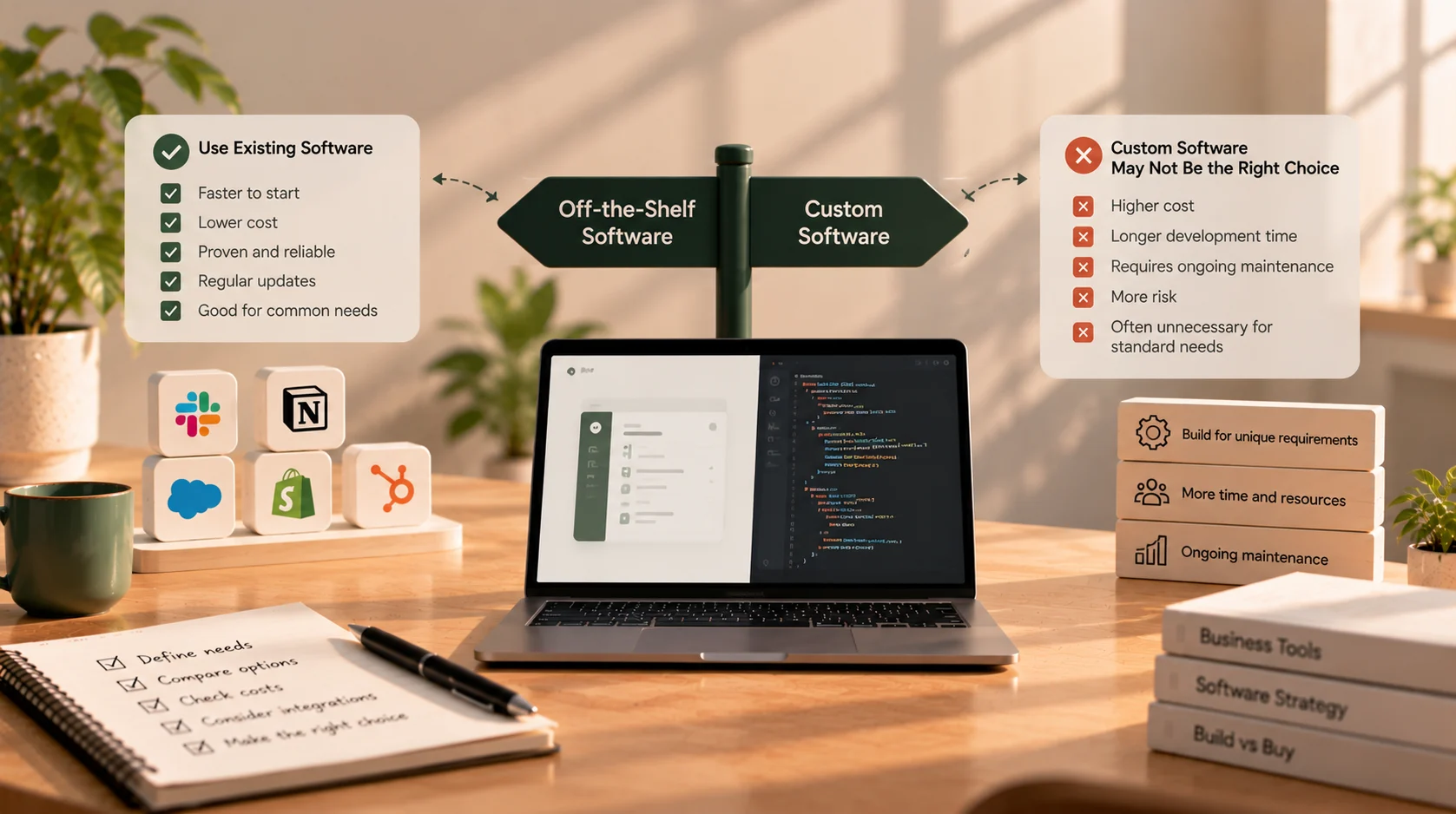
When Not to Build Custom Software
When a business process feels clumsy, building custom software can sound like the obvious solution. You could design the exact workflow you want, remove features you never use, and stop trying to make your team work around someone else’s product.
Sometimes that is the right decision. But custom software also brings development costs, maintenance responsibilities, security updates, hosting, testing, and a need for someone to make product decisions after launch. Building your own version of a tool that already solves the problem well can add work rather than remove it.
The question is not whether custom software is better than off-the-shelf software. It is whether custom software solves a meaningful problem better than the alternatives.
For small businesses, the sensible answer is often to buy a proven product for standard tasks, configure it where possible, connect existing tools where needed, and build only the parts that genuinely require a custom solution.
1. The process is standard and already well served
Some business functions are important, but they are not usually unique to your company. Accounting, payroll, email, file storage, appointment scheduling, and basic customer relationship management are common examples.
Mature off-the-shelf products in these categories may already include features that would take time and money to reproduce: permissions, reporting, notifications, integrations, support, and ongoing updates.
Building a custom accounting system just because you dislike the interface of your current tool is usually a disproportionate response. Before commissioning software, check whether another product, a different plan, or a better configuration would address the actual problem.
Ask yourself:
- Is the process broadly similar to how other businesses work?
- Does an existing product cover the critical requirements?
- Is the frustration caused by the tool itself, or by how it has been configured?
- Would changing the process slightly be cheaper than maintaining a bespoke application?
If the workflow is standard and existing software handles it well enough, buying is often the more practical choice.
2. You have not figured out the process yet
Custom software turns decisions about how your business works into a system that must be designed, tested, and maintained. If those decisions are still changing every week, building too early can make experimentation expensive.
For example, a founder may want a custom CRM before knowing which sales stages the team actually uses, what information qualifies a lead, or how follow-ups should be assigned. A flexible existing tool can help the team learn what works first.
Use the early stage to document the workflow, try a few practical options, and gather feedback from the people who will use the system. You may discover that the problem can be solved with a standard product—or you may identify a specific gap that genuinely needs custom development.
Uncertainty does not mean you should never build. It means you should avoid turning untested assumptions into a large software project.
3. You need a solution immediately
Custom development requires discovery, scope decisions, implementation, testing, and deployment. Even a focused project needs time for review and correction. If the business needs a working process next week, a custom build may not be the fastest route.
An existing product can often get you started sooner, especially if your requirements are conventional and you can use its standard workflow.
That does not mean you should rush into a subscription without checking it. Confirm that it covers the essential tasks, supports the integrations you need, and allows you to export your data if you later switch.
A practical path can be to use an existing tool now, learn from real usage, and revisit the build-versus-buy decision once the requirements are clearer.
4. The custom idea is mostly about preference
It is easy to confuse “I would like it to work differently” with “we need custom software.”
A team may prefer a particular dashboard layout, want a few extra fields, or dislike the number of clicks in a standard product. Those preferences may matter, but they do not automatically justify a bespoke application.
Separate the requirements into three categories:
- Essential: Without it, the business cannot complete a critical workflow or meet a genuine requirement.
- Useful: It saves time or improves the experience, but a workaround is acceptable for now.
- Preference: It reflects personal taste rather than a measurable business need.
Start by solving the essential problems. Check whether configuration, templates, permissions, or built-in automation can handle the useful improvements. Custom development becomes easier to justify when the unmet requirements have a real operational or commercial impact.
5. A small amount of manual work is still cheaper
Automation can reduce repetitive work, but building an automated workflow also has a cost. If a task happens rarely, takes only a few minutes, and has little risk of error, the return on custom software may be limited.
Consider a simple calculation before you build:
- Estimate how often the task happens.
- Estimate the time spent each time.
- Calculate the approximate time and cost spent over a year.
- Compare that with development, maintenance, hosting, and support costs.
- Include the cost of mistakes or delays, if those are material.
This is not about keeping every inefficient manual process forever. It is about prioritising the work that produces enough benefit to justify a software solution.
If the process grows, becomes error-prone, or starts blocking customers, reassess it. The right answer can change as the business changes.
6. The budget covers development, but not ownership
The initial build is only part of the cost of custom software. After launch, someone must handle bug fixes, security updates, dependency upgrades, hosting, backups, monitoring, and changes to business requirements.
You also need a plan for what happens if the original developer becomes unavailable. Code ownership, repository access, deployment instructions, and documentation should be clear from the beginning.
Before building, ask:
- Who will maintain the application after launch?
- Who will pay for hosting and third-party services?
- How will security updates and backups be handled?
- Who can make changes if the original developer is unavailable?
- Is there a budget for improvements and unexpected issues?
If there is no capacity or budget to operate the software after it is delivered, a supported off-the-shelf product may be safer. A custom application that nobody can maintain can become a liability even if the initial build goes well.
7. An existing product covers most of your real requirements
Do not dismiss a product because it does not match every detail of your ideal workflow. The relevant question is whether it covers the important requirements with acceptable compromises.
Make a short list of what the software must do. Then compare two or three suitable products against that list. Separate true blockers from minor inconveniences, and test the critical workflows rather than relying only on feature pages or sales demonstrations.
If an existing tool covers most of the need and the remaining gaps can be handled through configuration or a modest integration, a full custom build may be unnecessary.
Be careful, however, not to force your business into a product that creates costly workarounds for critical tasks. “Most features” is not enough if the missing part is central to how you serve customers or operate safely.
8. You are trying to solve a people or process problem with software
Software can make a good process more consistent. It cannot automatically fix unclear responsibilities, poor communication, or a workflow nobody has agreed on.
If two teams disagree about who approves a request, building an approval dashboard will not resolve the underlying decision. If staff enter incomplete information because the process is confusing, a new form may simply move the confusion to another screen.
Map the current process before selecting a solution. Identify where work gets delayed, duplicated, lost, or corrected. Speak to the people doing the work and agree on what should happen before automating it.
Once the process is understood, you may find that training, clearer ownership, a standard product configuration, or a small integration is enough.
9. You would be rebuilding a mature product’s hardest features
Some software categories look simple from the outside but contain years of edge cases. Accounting, payroll, identity management, payment processing, email delivery, and complex scheduling can involve security, compliance, reliability, and constantly changing external requirements.
Before recreating a mature product, consider which responsibilities you would be taking on. A custom interface around a reliable third-party service may be reasonable; replacing the entire underlying service may not be.
For example, a business may need a unique checkout journey, but that does not necessarily mean it should build its own payment infrastructure. It may be better to use a reputable payment provider and customise only the customer-facing workflow around it.
Build the distinctive layer, not every commodity component beneath it.
The middle ground: buy, configure, connect, or build
The decision is not limited to buying a product or creating everything from scratch. There are four common options.
| Option | Best when | Watch out for |
|---|---|---|
| Buy | A mature product supports the important workflow | Subscription terms, data export, and limits |
| Configure | The product is suitable but needs settings, templates, roles, or workflow changes | Complex configuration can become difficult to manage |
| Connect | Existing tools work individually but information is duplicated between them | Automating a poorly understood process can spread errors faster |
| Build | The workflow is important, differentiated, and poorly served by available products | Scope growth and long-term maintenance responsibilities |
A hybrid approach is often practical. Keep standard systems for accounting, email, or payroll, then build a focused portal, automation, or integration only where existing tools cannot meet an important requirement.
For example, a service business might keep its accounting software but build a customer portal that connects to it. A small clinic might use established payroll and accounting products while investing in a custom patient workflow if that is where its specific needs lie.
How to make a sensible build-versus-buy decision
Use this process before committing to a project.
Step 1: Describe the business problem
Write down what is happening today, who it affects, and what needs to improve. Avoid starting with a list of screens or a preferred technology.
Step 2: Define the must-have requirements
Identify the workflows that must work, the users involved, the information handled, and any important security or integration constraints.
Step 3: Evaluate existing products
Compare a small number of relevant options against the same requirements. Test the important workflows and check support, pricing, integration capabilities, and data export.
Step 4: Estimate total cost over time
Compare more than the first invoice. Include subscriptions, implementation, training, integrations, staff time spent on workarounds, development, hosting, maintenance, upgrades, and eventual switching or migration.
Step 5: Identify what is genuinely unique
Ask whether the workflow is part of what makes your business more useful, efficient, or competitive. If the same capability is widely available and does not differentiate your business, custom development may not be the best use of limited resources.
Step 6: Choose the smallest solution that addresses the gap
That might be a better product, a configuration change, an integration, or a focused custom application. If you do build, start with the highest-value workflow rather than trying to recreate every tool your team uses.
When custom software does make sense
This article is about when not to build, but custom software can be worthwhile when there is a clear reason for it.
Consider a custom solution when:
- Your core workflow is materially different from standard industry processes.
- Existing products force repeated manual work, errors, or expensive workarounds.
- You need an integration that available products cannot support adequately.
- Your customer experience depends on a workflow you need to control.
- Subscription or per-user costs have become disproportionate at your scale.
- You have specific data, permission, or operational requirements that products cannot reasonably meet.
Even then, custom does not have to mean a large, all-at-once system. A focused first version can test whether the solution improves the workflow before you invest in a broader platform.
Final thought: be willing to choose “not yet”
A responsible software decision should leave room for the answer to be “buy,” “configure,” or “wait.” If a developer recommends custom software, ask them to explain why the alternatives do not meet your needs. A good discussion should make the trade-offs clearer, not assume the largest build is automatically the best solution.
Start with the business problem, test existing options, and compare total cost and operational responsibility. Build only when the benefits of control and fit justify the investment.
If you are weighing a custom application against existing tools, get in touch to discuss your workflow and explore which approach may be appropriate.