
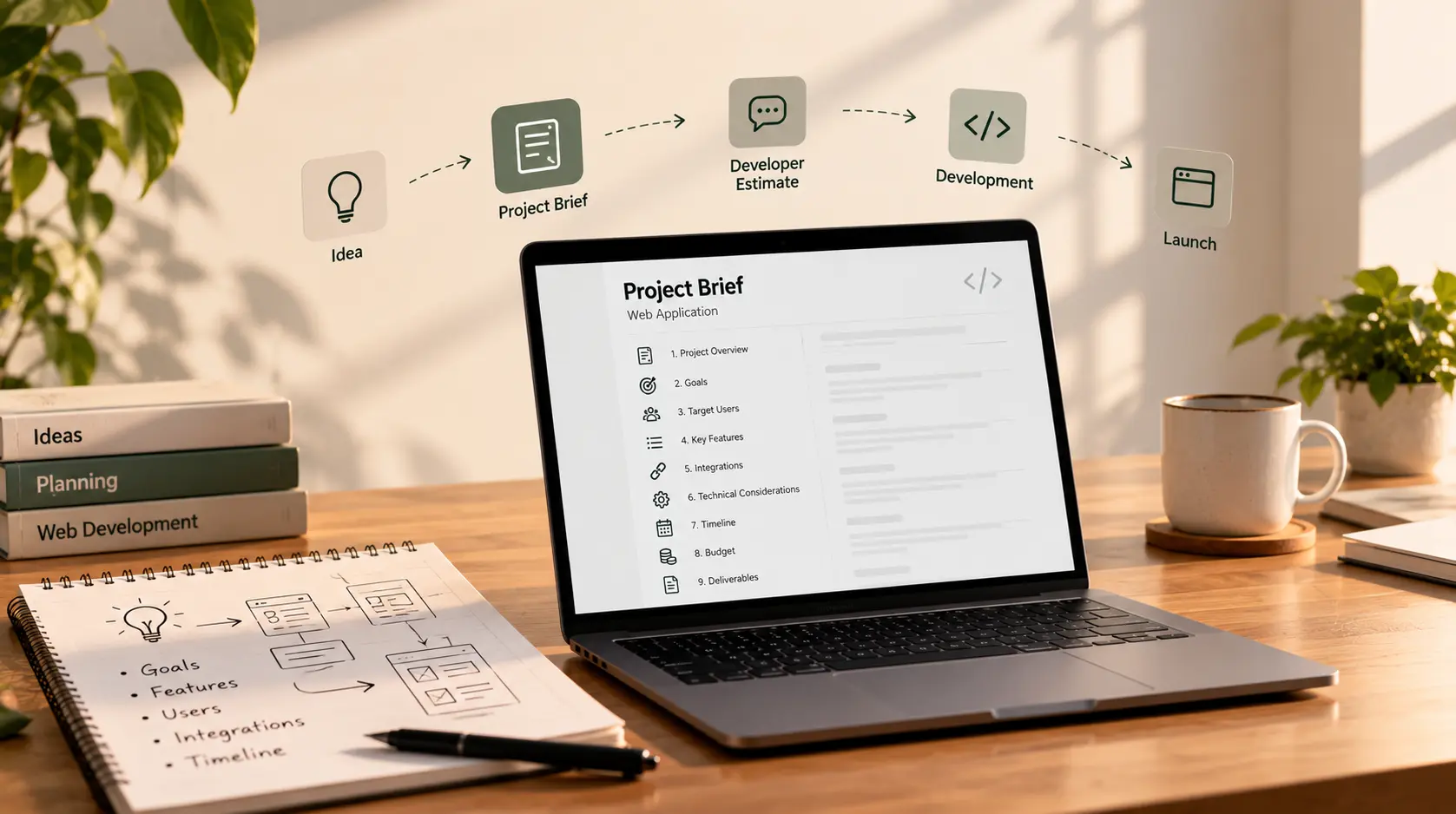
Introduction
You have an idea for a website or web application. You may know the problem you want to solve, the people who will use it, and some of the features you have in mind. But when you ask a developer, “How much would this cost?” the answer may be difficult to pin down.
That is often because the developer does not yet have enough information to estimate the work.
A message such as “I need a website with a dashboard and login” leaves many unanswered questions. Who will use the dashboard? What information should it show? Are there different user roles? Does it need to connect to existing software? Who will provide the content? What does “finished” mean?
A project brief helps turn an early idea into a shared starting point. It explains the business problem, the intended users, the essential features, and the constraints a developer needs to understand before proposing an approach, cost, and timeline.
You do not need to write a technical specification or know which framework to use. You need to describe what the product should help people do and what limits the project must work within.
If you are still deciding whom to hire, you may also find our Django developer hiring checklist useful.
What Is a Web Project Brief?
A web project brief is a concise document that describes the purpose, users, scope, and constraints of a website or web application.
It gives a developer enough context to ask useful questions and prepare an initial estimate. It is not necessarily a complete specification of every screen, database field, or technical decision.
A brief should help answer five basic questions:
- Why are you building this? What problem or opportunity is behind the project?
- Who is it for? Who will use the website or application, and what do they need to accomplish?
- What must the first version do? Which features are essential, and which can wait?
- What constraints matter? What budget, timing, existing systems, or other requirements should shape the approach?
- How will you recognise success? What should improve when the project is working?
A clear brief cannot remove every uncertainty. It can, however, make assumptions visible and help developers estimate against a shared understanding rather than guess at different versions of the project.
Why a Clear Brief Helps Developers Estimate
A developer estimates effort based on the work they understand, the complexity they expect, and the risks or unknowns that remain.
If the brief is vague, different developers may make different assumptions. One quote might include a responsive design, user permissions, testing, deployment, and documentation. Another might cover only the core development work.
The prices then look comparable even though the proposed work is not the same.
A useful brief can help you:
- Receive more relevant initial estimates.
- Compare proposals against a similar scope.
- Identify features that can be postponed.
- Surface integrations and dependencies early.
- Reduce misunderstandings about deliverables.
- Have a more productive discovery conversation.
The goal is not to force a developer to give a final fixed price based on incomplete information. A responsible developer may still need to ask questions, inspect an existing codebase, or recommend a discovery phase before providing a firm quote.
What to Include in Your Project Brief
1. Business background and project summary
Start with a short explanation of your business and what you want to build. A few sentences are usually enough.
Explain what your business does, who it serves, and why this project matters now. Avoid beginning with a long list of technical features before describing the underlying need.
Example:
“We run a small equipment rental business. Customers currently enquire by phone, and staff track bookings in spreadsheets. We want a web application where customers can check availability and submit booking requests, while staff manage equipment and confirm reservations.”
This gives the developer context that a request such as “build a booking website” does not.
2. The problem you want to solve
Describe the current situation and what is difficult about it.
Consider:
- What process is slow, expensive, confusing, or unreliable?
- How do people handle it today?
- Who is affected by the problem?
- Why is a new website or application needed?
Focus on the problem before prescribing the solution. You may have a particular feature in mind, but a developer might identify a simpler or more appropriate way to achieve the same outcome.
3. Goals and success measures
Explain what should be different after launch. Whenever practical, identify a way to measure the result.
Examples might include:
- Reduce manual data entry for staff.
- Allow customers to submit requests outside business hours.
- Give users access to their order history without contacting support.
- Reduce the time required to prepare a report.
- Increase the percentage of visitors who complete an enquiry form.
You do not need to promise a particular result before the project exists. The purpose is to show what the application is meant to improve and how you will evaluate whether it is useful.
4. Target users and roles
List the main types of people who will use the product and what each needs to do.
For example:
| User type | What they need to do |
|---|---|
| Customer | Create an account, submit a request, and view request status |
| Staff member | Review requests and update records |
| Administrator | Manage users, settings, and permissions |
Mention whether users have different permissions or whether certain information must remain restricted. Also note any relevant context, such as whether users will mostly access the application from mobile phones.
5. Main user journeys
Describe the most important tasks step by step. This often explains the project more clearly than a long list of feature names.
Instead of writing “booking module,” explain:
“A customer selects an available date, submits a booking request, receives a confirmation email, and can later view the request status.”
List the three to five most important journeys for the first version. Include unusual cases when they materially affect the workflow, such as cancellations, failed payments, approval steps, or duplicate submissions.
6. Features and priorities
Separate features into clear priority groups. If every feature is marked essential, the developer cannot easily suggest a smaller first release.
Must have: Required for the first usable version.
Should have: Important, but the initial release can work without it.
Could have later: Useful improvements that can wait until the core product is validated.
For example:
- Must have: Account login, booking requests, staff dashboard.
- Should have: Email notifications and downloadable reports.
- Could have later: Advanced analytics and custom dashboard layouts.
This makes it easier to discuss trade-offs if the initial estimate exceeds your budget or the timeline is too long.
7. Existing website, systems, content, and data
Tell the developer what already exists and what might be reused.
Include relevant items such as:
- Current website or application.
- Brand guidelines, logo, and design files.
- Copy, images, and other content.
- Existing database or spreadsheets.
- CRM, accounting, booking, or inventory software.
- API documentation and third-party accounts.
- Wireframes, prototypes, or reference websites.
If existing records need to be imported, describe their approximate volume and format. Migrating clean spreadsheet data can be very different from cleaning and combining several inconsistent data sources.
Do not share passwords in the brief. Explain what access may be needed and arrange secure access when appropriate.
8. Integrations and technical constraints
List the services the application must connect to, such as payment providers, email platforms, maps, messaging tools, or existing business software.
For each integration, note what it should do and whether you already have an account or access to the relevant API.
If you have a technical requirement, explain why it matters. For example, the application may need to work with an existing database or be maintained by an internal team familiar with a particular technology.
If you do not know which technology is suitable, say so. A good brief describes the required outcome and real constraints, allowing the developer to recommend an approach and explain its trade-offs.
9. Budget and timeline
A budget range can help a developer suggest an appropriate scope rather than estimate a much larger or smaller solution than you need.
If you are comfortable sharing it, state the range and whether the upper limit is firm. If you do not know the budget yet, say so rather than inventing a number.
For timing, include:
- Your preferred launch window.
- Any fixed deadline.
- Why the date matters.
- Any internal approvals or dependencies that could affect delivery.
A deadline connected to a real event or contract is different from a preferred target date. Making that distinction helps the developer discuss what can realistically be delivered.
10. What is out of scope?
List what the first phase will not include. This is easy to overlook, but it helps prevent different assumptions about the size of the project.
For example, the first release might include booking requests but not online payments, or a customer portal but not a mobile application.
You can also note work that will be handled by your own team, such as writing content, supplying product images, or managing customer support.
11. Launch, maintenance, and ownership expectations
Think beyond the first deployment. State whether you expect help with hosting setup, testing, documentation, staff training, bug fixes, or ongoing maintenance.
Also clarify expectations about source-code access, project accounts, handover documentation, and ownership of deliverables. The exact terms should be agreed in writing and may depend on third-party licences and the contract.
These details can affect the overall cost and should not be left until the project is almost complete.
Copyable Web App Project Brief Template
Copy the template below into a document or email and fill in what you know. It is fine to mark a field as “not decided yet.” That is more useful than silently leaving an important unknown.
WEB PROJECT BRIEF

1. PROJECT SUMMARY
Project name:
Business or organisation:
What we do:
What we want to build:
Why we want to build it now:

2. THE PROBLEM
What problem are we trying to solve?
How is this handled today?
What is difficult about the current process?

3. GOALS AND SUCCESS
What should improve after launch?
How might we measure success?
What would make the first version useful?

4. TARGET USERS
Who will use the website or application?
What does each user type need to do?
Are different roles or permissions required?
Which devices will users commonly use?

5. MAIN USER JOURNEYS
Journey 1:
Journey 2:
Journey 3:

6. FEATURES
Must-have for launch:
-
-
-

Should-have:
-
-

Could add later:
-
-

7. EXISTING RESOURCES
Current website or application:
Branding, content, and design files:
Existing data or spreadsheets:
Software or services already in use:
Reference websites or examples:

8. INTEGRATIONS AND DATA
Systems the project must connect to:
What each integration should do:
Data that must be imported or migrated:
Sensitive data or access requirements:
Existing API accounts or documentation:

9. PLATFORMS AND CONSTRAINTS
Required platform: Website / Web app / Mobile app / Other
Technical requirements, if known:
Accessibility, language, or device requirements:
Security or compliance considerations:
What is explicitly out of scope?

10. BUDGET AND TIMELINE
Budget range and currency:
Is the budget limit firm?
Preferred launch date:
Is the deadline fixed? Why?
Important dependencies or approval dates:

11. DELIVERY AND SUPPORT
Expected deliverables:
Testing expectations:
Deployment and hosting responsibilities:
Documentation and handover requirements:
Maintenance or post-launch support needed:
Source-code access and ownership expectations:

12. DECISIONS AND OPEN QUESTIONS
Who will make final decisions?
Who will provide feedback and approve deliverables?
What is not decided yet?
What questions should the developer help answer?

13. WHAT WE WOULD LIKE IN THE ESTIMATE
Recommended approach:
Proposed scope and exclusions:
Estimated timeline and milestones:
Cost breakdown and payment terms:
Assumptions, risks, and dependencies:
Ongoing costs and support options:
Example: A Brief for a Simple Customer Portal
Here is a short example showing how a founder might fill in part of the template.
Project summary: We run a small wholesale business and want business customers to view their account information and submit repeat-order requests online.
Problem: Customers currently contact staff by email or phone to request previous products. Staff manually look up order details and re-enter information.
Users: Customers need to sign in, view relevant product and order information, and submit a repeat-order request. Staff need to review requests and update their status. Administrators need to manage access.
Must-have features: Secure login, customer dashboard, order history, repeat-order request form, staff review screen, and basic email notifications.
Later features: Online payment, advanced reporting, and customer-specific product recommendations.
Existing resources: A company website, product spreadsheet, brand assets, and an existing order-management system. The integration approach still needs to be assessed.
Constraints: The first version should work well on desktop and mobile browsers. The target launch window is preferred rather than fixed. The business will discuss the budget range with shortlisted developers.
Success: Customers can submit repeat-order requests without calling staff, and staff can review each request in one place.
This example is not a complete specification. A developer would still need to clarify the order-management system, data access, permissions, notification rules, and acceptance criteria before providing a reliable estimate.
How to Send the Brief to Developers
Once the brief is ready, send the same version to each developer or agency you are considering. This helps make the proposals easier to compare.
Ask them to respond with:
- Their understanding of the project and recommended approach.
- What is included and excluded from the estimate.
- A breakdown of major milestones and deliverables.
- Estimated timeline and assumptions.
- Pricing model, payment schedule, and possible recurring costs.
- Risks, open questions, and information they still need.
- Testing, deployment, handover, and support arrangements.
Compare the responses against the same requirements rather than looking only at the final number. One developer may suggest reducing the first release to keep it within budget; another may identify an integration risk that needs investigation. Those differences can be valuable.
A good developer will usually ask follow-up questions before committing to a detailed estimate. That is not necessarily a sign that your brief has failed. The brief is intended to make the first conversation more specific, not eliminate the need for discovery.
Common Project Brief Mistakes to Avoid
Listing features without explaining the problem
A feature list shows what you think should be built, but not always why it is needed. Explain the underlying problem and let the developer discuss possible solutions.
Treating every feature as a priority
If everything must be included in version one, there is little room to adjust scope. Identify the smallest release that solves the most important problem.
Leaving out existing systems and data
Integrations, data migration, and legacy code can significantly affect estimates. Mention them early, even if you do not yet know the technical details.
Giving a deadline without explaining it
Explain whether a date is fixed or preferred and what causes it. This helps the developer evaluate options if the full scope cannot fit the desired schedule.
Hiding uncertainty
It is perfectly reasonable not to know the right technology, the final feature list, or every workflow. Mark unknowns clearly so they can be explored during discovery.
Assuming the brief guarantees a fixed quote
A brief provides context for an initial estimate. A firm price may require additional discovery, technical review, or agreement on detailed acceptance criteria.
Editorial Note: This article is intended for general informational purposes and provides a starting point for planning a web project. It is not a substitute for project-specific technical, legal, financial, security, or compliance advice. Costs, timelines, and delivery requirements depend on the actual scope, assumptions, and constraints. Confirm important deliverables, payment terms, ownership, and responsibilities in a written agreement before work begins.