
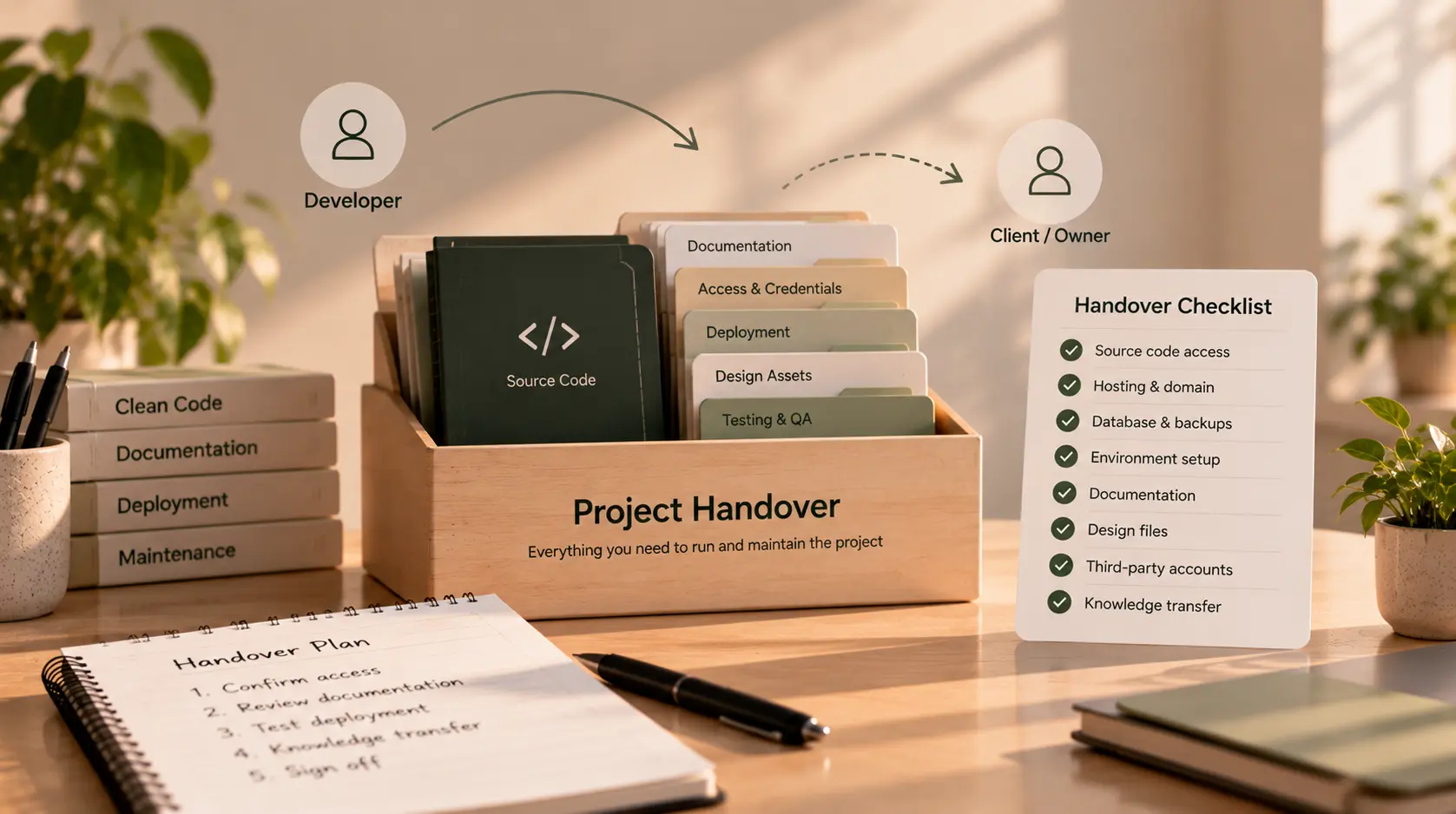
Software Handover Checklist: What a Good Developer Handover Includes
A website or software project is not truly ready to hand over just because the developer says the work is finished. You also need to know how to access it, maintain it, update it, and bring in another developer if necessary.
A good handover gives you control over the project—not just a link to the live website. It should leave you with the right accounts, source code, documentation, deployment details, and a clear understanding of any outstanding issues.
This matters whether you have hired a freelancer to build a business website, worked with an agency on a customer portal, or commissioned a custom web application. Without a proper handover, routine changes can become difficult, urgent fixes can take longer, and your business may become dependent on one person.
Use this software handover checklist to understand what should be delivered, what to verify, and which questions to ask before you sign off.
What is a software project handover?
A software project handover is the process of transferring the project, the information needed to operate it, and the relevant access and responsibilities from the developer or delivery team to the client or the next team.
It may happen at the end of a project, when a freelancer's contract ends, when an agency relationship changes, or when one developer takes over work started by another.
A handover is more than a folder of files. Depending on the project, it can include:
- Source code and version-control access.
- Ownership or administrative access to domains, hosting, and third-party services.
- Setup and deployment instructions.
- Documentation about the architecture, integrations, and important workflows.
- Environment and configuration details, handled securely.
- Testing information and known issues.
- A walkthrough and a clear support or maintenance arrangement.
The exact handover package depends on the project's size and complexity. A small static website will not need the same documentation as a production application with user accounts, payments, integrations, or sensitive information.
1. Source code and repository access
The first item to verify is that you can access the project's source code and that the agreed code is present.
Check that:
- The project is stored in a repository you or your business can access.
- You have the appropriate owner or administrator permissions, where agreed.
- The repository contains the latest agreed code and relevant branches or release tags.
- The README or equivalent instructions explain the basic project setup.
- Dependencies and build instructions are documented.
- Any agreed code, scripts, configuration templates, and assets are included.
- You understand whether any components are licensed from third parties.
A link to a public demo is not a substitute for source-code access if the agreement says source code will be delivered. Equally, not every project requires a public repository. A private repository is often appropriate; the important point is that the client has the access and rights agreed in the contract.
Questions to ask
- “Where is the source code stored, and do I have the right level of access?”
- “Is this the final agreed version?”
- “Are any parts licensed, paid for, or owned by a third party?”
Do not assume that receiving a copy of the code automatically transfers every intellectual-property right. Ownership and licensing should follow the written agreement.
2. Domains, hosting, and service accounts
Your business should understand who controls the services required to keep the website or application running.
Depending on the project, review access to:
- Domain registrar and DNS management.
- Hosting or cloud provider.
- Code repository and deployment platform.
- Database hosting or managed database service.
- Email delivery, file storage, or other connected services.
- Analytics and monitoring tools.
- Payment, maps, messaging, or other third-party integrations.
- App store or other publishing accounts, if relevant.
Where practical, important business accounts should be registered to a business-controlled email address and administered by the client. The developer can be granted the access needed to work without remaining the only person who can control the service.
Do not ask a developer to send passwords in an ordinary email or chat. Use the relevant provider's secure invitation, access-transfer, or credential-management process. After handover, review who still has access and remove access that is no longer needed.
Questions to ask
- “Which accounts are required to operate the project?”
- “Who is the owner or administrator of each account?”
- “Are there any services billed through your account that I need to transfer?”
3. Setup and local development instructions
A future developer should be able to understand how to set up the project without relying entirely on the original developer's memory.
Confirm that the handover explains, as appropriate:
- Required language, framework, and runtime versions.
- Dependency installation steps.
- How to configure environment variables.
- How to run the application locally.
- How to run tests and any build commands.
- How to connect to a development database or safe test services.
- Any setup steps that are easy to miss.
The exact commands depend on the technology. For example, a Django application may need Python and package versions, environment configuration, database setup, migrations, and instructions for running the development server. A frontend project may need a specified Node.js version, package installation, build commands, and environment variables.
The goal is not to document every line of code. It is to make routine setup repeatable and reduce the time a new developer spends discovering hidden assumptions.
4. Deployment and release process
A project may run on a developer's machine but fail when deployed to the production environment. The handover should explain how the application is released and what needs to be checked.
Confirm that:
- The production hosting environment is identified.
- Deployment steps or the automated release workflow are documented.
- Required build, migration, or configuration steps are explained.
- Domain and DNS details are recorded where relevant.
- The process for reviewing and releasing changes is understood.
- There is a documented way to respond to a failed release or roll back, where appropriate.
- The client knows who is responsible for future deployments.
For larger systems, also ask about staging environments, release approvals, monitoring, and how database changes are handled. The level of detail should reflect the operational risk of the project.
5. Database, backups, and data handling
If the project stores data, the handover should explain how that data is managed and protected. The right approach depends on the application's purpose, data sensitivity, and hosting setup.
Check whether you have:
- An overview of the database technology and where it is hosted.
- Instructions for creating or applying schema migrations, if relevant.
- A documented backup process and an understanding of who is responsible for it.
- Information on how restoration would be performed and tested.
- A clear distinction between production and test data.
- Guidance for handling data exports or transfers securely.
- A record of any data retention or deletion responsibilities agreed for the project.
Do not request production data casually for testing. Personal, financial, healthcare, or other sensitive information may require additional safeguards and legal or regulatory controls. Where appropriate, use synthetic or properly de-identified test data and qualified advice.
A backup is useful only if it can be restored. Ask how restoration is tested and who will respond if the database or storage service becomes unavailable.
6. Configuration, credentials, and secrets
Applications often rely on environment variables, API keys, certificates, signing keys, and other configuration values. These are important for operation, but they must be transferred securely.
The handover should include:
- A list of required environment-variable names and what each one controls.
- Instructions for obtaining or rotating credentials through the relevant service.
- Secure access to required secrets, without placing them in source code or ordinary documentation.
- Identification of any credentials that need to be rotated after the developer's access ends.
- Details of configuration differences between development, staging, and production, where relevant.
Never treat a committed .env file or a document containing plain-text passwords as an acceptable handover method. The project should document what is required while secrets are stored and shared through an appropriate secure mechanism.
If credentials were exposed during development, ask the responsible team to assess the exposure and rotate them as needed. Simply deleting a secret from the latest version of a repository may not remove it from the repository's history.
7. Technical and operational documentation
Documentation should help someone understand the important parts of the project without forcing them to reverse-engineer everything from scratch.
Depending on complexity, ask for documentation covering:
- A high-level overview of the system and its main components.
- Important modules, services, or application areas.
- External APIs and integrations.
- Scheduled jobs, background tasks, webhooks, or automated workflows.
- Authentication and role or permission concepts.
- Important business rules and non-obvious technical decisions.
- Configuration that is required for the application to work.
- Any known limitations or areas that need special care.
The documentation should be proportionate. A small website may need only concise setup and maintenance notes. A complex application may need architecture diagrams, API documentation, operational runbooks, and more detailed guidance.
If a feature depends on a third-party service, record the service, its purpose, how access is managed, and where to find its official documentation. Do not include secret keys in the document.
8. Testing, known issues, and unfinished work
A good handover is honest about what has and has not been verified. It should not imply that software is flawless simply because the project is being transferred.
Ask for:
- A summary of the tests that were run.
- Instructions for running relevant automated tests, if available.
- A list of known bugs or limitations.
- A list of incomplete features or deferred requirements.
- Any open technical risks that the next developer should understand.
- The status of important acceptance criteria.
- Any issues that require client decisions or third-party action.
For critical workflows, verify the agreed behaviour in a suitable test environment before sign-off. Depending on the project, this could include registration, login, permissions, forms, payments, notifications, data exports, or integrations.
Do not rely on a vague statement such as “everything has been tested.” Ask what was tested, in which environment, and what the results were. For high-risk systems, arrange an appropriate independent technical review.
9. Design files, content, and other project assets
A software project may rely on more than code. Make sure the handover covers the assets required to maintain the product.
These may include:
- Design files and agreed design-system assets.
- Logos, icons, fonts, images, and other media the client is entitled to use.
- Website copy and content files, if included in the scope.
- Templates, email layouts, and notification content.
- Any agreed scripts, data-import tools, or internal utilities.
- Relevant licences and records for paid assets or services.
Confirm which assets were created specifically for the project and which are subject to third-party terms. A handover should not promise rights that the developer does not own or cannot transfer.
10. A walkthrough and knowledge transfer
Documentation is important, but a walkthrough can reveal details that are difficult to capture in writing.
Arrange a handover session appropriate to the project. Ask the developer to demonstrate the main workflows, explain how routine changes are made, show how deployment is performed, and identify where logs or error reports can be checked.
Before the session, prepare a short agenda. For example:
- Review the architecture and repository.
- Demonstrate the most important user journeys.
- Explain how to configure and run the project.
- Review deployment, backups, and monitoring.
- Discuss known issues and unfinished work.
- Confirm account access, responsibilities, and next steps.
Record decisions and update the documentation afterward. If a new developer will take over, invite them to the session where practical so they can ask questions directly.
11. Support, maintenance, and the end of the engagement
Handover does not automatically mean ongoing support is included. The agreement should say what happens after delivery.
Clarify:
- Whether there is a defined defect-fix or warranty period.
- What qualifies as a defect versus a new feature.
- Whether ongoing maintenance is included or separately priced.
- Who handles urgent incidents after launch.
- Whether monitoring, backups, and dependency updates are part of a service.
- When the developer's access will change or end.
- Whether additional assistance will be available if another developer takes over.
Avoid assumptions such as “the developer will fix everything for free” or “the client is fully on their own after delivery.” The actual arrangement depends on the contract and the services agreed.
12. Final software handover checklist
Use this checklist during the final review. Not every item will apply to every project, so mark items as not applicable when appropriate and document why.
Code and documentation
- Source code and repository access have been delivered as agreed.
- Setup instructions are available and understandable.
- Required dependencies and versions are documented.
- Architecture, integrations, and important workflows are explained.
- Design files and other agreed assets are included.
- Third-party licences and ownership limitations are identified.
Accounts and infrastructure
- Domain, DNS, hosting, and service accounts are identified.
- Business-controlled administrative access is confirmed where agreed.
- Credentials and secrets are transferred securely.
- Unneeded access is reviewed and removed at the appropriate time.
- Deployment and rollback procedures are understood.
- Backups and restoration responsibilities are documented.
Quality and operations
- Important acceptance criteria have been reviewed.
- Testing performed and results are documented.
- Known bugs and incomplete work are listed.
- Data handling and database responsibilities are clear.
- Monitoring, logs, and incident response are explained where relevant.
- A handover walkthrough has been completed or scheduled.
Commercial and support
- Final deliverables match the agreed scope or remaining gaps are recorded.
- Ownership and licensing terms are understood.
- Outstanding payments or approvals are recorded.
- Support, maintenance, and defect-fix terms are clear.
- The process for future changes is agreed.
- Both sides know who is responsible for each next step.
What if the developer cannot provide everything?
Not every missing item means the project is unusable. The right response depends on the gap and its impact.
If a small project has limited documentation, you may be able to agree on a concise handover note. If you cannot access the production hosting account, source code, database backups, or critical credentials, the risk is much greater and should be addressed before treating the handover as complete.
Create a list of missing items, assign responsibility, agree on a due date, and record any accepted limitations. For critical or sensitive systems, consider an independent technical review before making major changes or transferring production responsibilities.
If the original developer is no longer available, a new developer may need a paid discovery or recovery phase to inspect the codebase, establish access, identify risks, and document the system. Avoid assuming they can safely take over immediately without understanding the project first.
Final thoughts
A good developer handover gives you more than a working website. It gives you the practical ability to operate the project, understand its limitations, control the relevant accounts, and arrange future maintenance without unnecessary dependency on the original developer.
Use the checklist to review source code, access, setup, deployment, data, security, documentation, testing, assets, and support. Adapt it to the project's actual complexity, and record any item that is incomplete or not applicable.
Most importantly, do not wait until the final day to discuss handover. Agree on the required deliverables before development begins, keep documentation and access organized throughout the project, and reserve time for a walkthrough before closing the engagement.
If you need to discuss a web project or its handover requirements, you can get in touch through the contact page.