
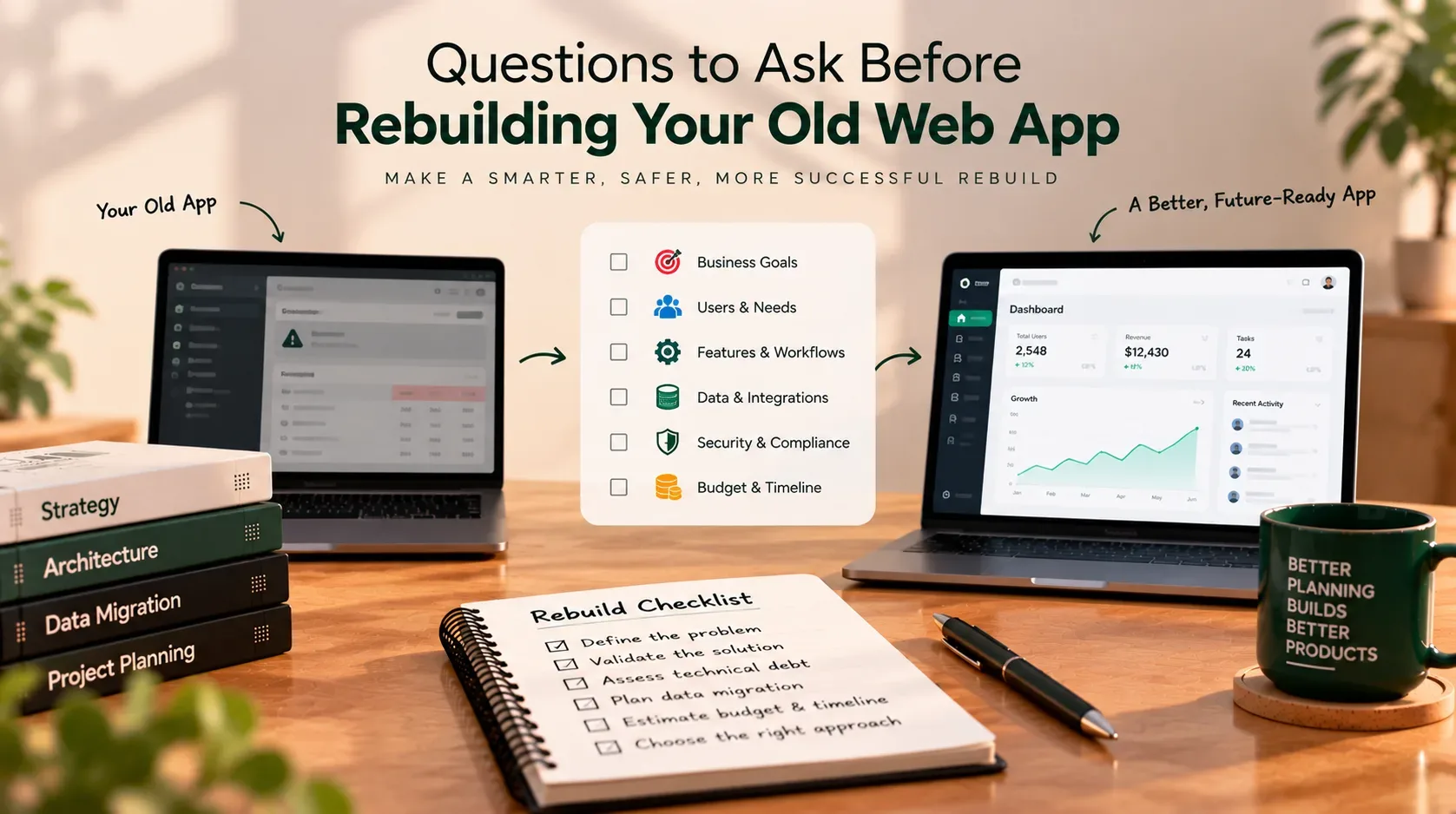
Questions to Ask Before Rebuilding Your Old Web App
An old web application can become frustrating to maintain. Pages may load slowly, the design may feel dated, small changes may take weeks, and the original developer may no longer be available. At some point, rebuilding the application starts to sound like the cleanest solution.
But a complete rebuild is not automatically the right move.
Your current system may contain years of business rules, customer records, integrations, reports, and workarounds that are not documented anywhere else. Replacing it without understanding those dependencies can create more disruption than the problems you were trying to solve.
Before committing budget to a rebuild, ask the questions in this guide. They will help you clarify what is broken, what needs to be preserved, what should change, and whether you need a full rebuild at all.
First, does your web app actually need a rebuild?
Start with the business problem—not the technology you want to use.
A website that looks old may need a design refresh. An application that is difficult to deploy may need better release processes. A system with a few slow database queries may need targeted performance work. A platform that cannot support essential workflows or has become unsafe to change may need deeper modernization.
Consider these broad options:
| Option | Best suited to | Main trade-off |
|---|---|---|
| Maintain or stabilize | The application mostly works, but has a few urgent defects or operational risks | May not address deeper structural problems |
| Refactor | The core functionality is useful, but code is difficult to maintain or test | Improvements must be made carefully without changing expected behavior |
| Replatform | The application works, but its hosting environment or runtime is the main constraint | Environment changes can still expose compatibility issues |
| Modernize in stages | Some modules or workflows need significant change, while others remain reliable | Requires clear boundaries and coordination between old and new parts |
| Rebuild | The existing architecture or data model cannot reasonably support important business needs | Highest migration and transition risk; old behavior must be rediscovered and validated |
These options can overlap. A project may upgrade its runtime, refactor a critical module, and replace one workflow without rewriting the entire application.
The key question is: What specific business outcome will a rebuild make possible that a smaller, safer change cannot deliver?
1. Questions about the business problem
Before talking about frameworks, hosting, or architecture, define why the current application is no longer sufficient.
Ask:
- What are the three biggest problems with the existing application?
- Who experiences each problem—customers, staff, administrators, or business partners?
- How often does each problem occur?
- What does it cost the business in lost time, lost sales, support work, or operational risk?
- Which business goals are blocked by the current system?
- What happens if we do nothing for another six to twelve months?
- How will we measure whether the new application is better?
Avoid goals such as “make the app modern” unless they are translated into measurable outcomes. A more useful goal might be reducing the time required to process an order, making a customer workflow accessible on mobile, or allowing the internal team to release changes without a lengthy manual process.
What should you document?
For each major problem, record the current situation, its evidence, the desired outcome, and who will approve the result.
For example:
| Current problem | Evidence to collect | Desired outcome |
|---|---|---|
| Staff re-enter customer details manually | Observe the workflow and count repeated steps | Reduce duplicate data entry |
| Reports take too long to generate | Measure current generation time and dataset size | Meet an agreed reporting-time target |
| Small updates require developer intervention | Review recent changes and release steps | Make routine updates safer and more predictable |
| Users struggle on mobile | Test key journeys on common screen sizes | Complete priority tasks on supported devices |
This turns a vague rebuild request into a decision that can be evaluated.
2. Questions about users and everyday workflows
A rebuild should improve how people use the application, not simply reproduce its existing screens with a new design.
Ask the people who use the system:
- Who uses the application, and what does each group need to accomplish?
- Which tasks are performed every day, every week, or only at month-end?
- Which workflows are business-critical?
- What steps do users perform outside the application because it cannot support their needs?
- Are there hidden workarounds involving spreadsheets, email, or manual approvals?
- Which features are rarely used or no longer relevant?
- What accessibility, language, mobile, or device requirements should be supported?
- Which workflows must remain familiar to avoid unnecessary retraining?
Do not assume the current interface tells the whole story. A button may trigger a complex process, and a seemingly minor field may be required by a downstream report or accounting workflow.
Walk through real tasks with users. Record normal cases, exceptions, and what happens when something fails.
3. Questions about existing features and business rules
The old application may contain rules that were never written down. They may exist only in code, database constraints, scheduled jobs, or the memory of a long-time employee.
Ask:
- Which features must be available on day one?
- Which features can be improved or removed?
- What calculations, approval rules, status transitions, and notifications must be preserved?
- Are there exceptions for specific customer types, locations, or account roles?
- Which reports and exports do people rely on?
- Are any rules duplicated across the application and external spreadsheets?
- Who has the authority to approve a change to a business rule?
- How will the team verify that important behavior still works after migration?
Build a feature inventory and classify each item as keep, improve, replace, retire, or investigate. “Investigate” is important: uncertain behavior should not be treated as safe to remove.
Do not rebuild every old feature by default. Some functionality may be obsolete, while other behavior may be essential despite looking unimportant in the interface.
4. Questions about code, architecture, and technical debt
An old codebase can be difficult to work with without being beyond repair. The assessment should establish which parts are risky and why.
Ask your technical team or prospective developer:
- Can an authorized developer access the complete source code and version history?
- Can the application be built and run from a clean environment?
- Which languages, frameworks, libraries, and runtime versions does it use?
- Are any critical dependencies unsupported or difficult to upgrade?
- Are business rules tightly coupled to the user interface or database?
- Is there automated test coverage for critical workflows?
- Can the team identify the cause of errors using logs and monitoring?
- How are releases performed, and can a failed release be reversed?
- Which modules are hardest to change, and what evidence supports that assessment?
- Can the current architecture support the expected workload and roadmap?
Request evidence rather than a broad statement that “the code is bad.” Useful evidence may include reproducible defects, unsupported dependencies, high-risk modules, slow queries, fragile release steps, or changes that repeatedly break unrelated features.
A code review or technical discovery phase can help separate a genuine architectural limitation from a problem that can be solved with targeted improvements.
5. Questions about integrations and hidden dependencies
A web application rarely works in isolation. It may exchange data with payment providers, email services, accounting software, customer relationship management tools, identity providers, mobile apps, or internal reporting systems.
Ask:
- Which external services does the current app connect to?
- Which systems call its APIs or read its data?
- Are there scheduled tasks, webhooks, file imports, exports, or email notifications?
- Does another application connect directly to the database?
- Who owns each integration, and are the credentials and documentation available?
- What happens when an external service is unavailable?
- Are there rate limits, contractual restrictions, or vendor dependencies?
- How will every integration be tested against the replacement?
- Do any URLs, API responses, or data formats need to remain compatible?
Create an integration map that identifies each dependency, the data exchanged, the business owner, the failure behavior, and the planned replacement or compatibility approach.
Hidden dependencies are one of the most expensive things to discover late. Include people from operations, finance, support, and partner teams not only developers in the discovery process.
6. Questions about data migration
Data migration is not just exporting rows from the old database and importing them into a new one. The team must preserve relationships, meaning, history, and access rules.
Ask:
- What data exists, and which records are still needed?
- How much data must be moved, and how quickly is it growing?
- Are there duplicate, incomplete, inconsistent, or obsolete records?
- Which identifiers and relationships must remain stable?
- What historical records, attachments, audit trails, and reports must remain accessible?
- Are there retention, privacy, contractual, or regulatory requirements?
- Which fields need to be transformed or mapped to a new structure?
- Who will validate the migrated data?
- How will the team reconcile counts, totals, relationships, and representative records?
- What is the backup and recovery plan if migration fails?
Agree on data-validation rules before migration begins. Depending on the application, checks may include record counts, financial totals, relationship integrity, required fields, timestamps, and sample-based comparisons.
Plan at least one realistic migration rehearsal. A successful import on a small test dataset does not prove that the production migration will finish within the allowed downtime.
7. Questions about security, privacy, and access
A rebuild is an opportunity to address security gaps, but a new interface or framework does not make an application secure by itself.
Ask:
- What types of sensitive or personal information does the app store?
- Who can view, create, update, export, or delete each category of data?
- Are roles and permissions documented and tested?
- How are users authenticated, and how are accounts recovered or disabled?
- Are secrets and credentials kept out of source code?
- Are data transfers and storage protected appropriately?
- Are uploaded files validated and access-controlled?
- Which logs and audit trails are required?
- Are dependencies and infrastructure receiving security updates?
- What privacy, retention, accessibility, or industry-specific obligations apply?
Write down the expected access rules and test both allowed and denied actions. For example, a user should not be able to view another customer's record simply by changing an ID in a URL.
Security requirements should be included in the scope, estimates, acceptance criteria, and ongoing maintenance plan—not added as a final check before launch.
8. Questions about budget, timeline, and ownership
A rebuild estimate is only as reliable as its assumptions. The cost may include discovery, implementation, design, migration, integrations, testing, hosting, training, and post-launch support.
Ask:
- What budget range is approved, and what is included in it?
- Does the estimate include discovery and documentation of the existing app?
- Are data cleanup, integration work, and migration rehearsals included?
- Who will provide business decisions and answer questions promptly?
- Who owns the source code, cloud accounts, domains, and third-party subscriptions?
- What support is expected after launch?
- Which features are essential for the first release, and which can wait?
- What deadlines or business periods limit when the application can change?
- What assumptions could change the estimate?
- How will new requests be handled after scope is agreed?
Ask for a breakdown of phases, deliverables, dependencies, assumptions, and exclusions not just a single total. An estimate should make uncertainty visible rather than hiding it behind false precision.
Also plan for the cost of running the new application: hosting, monitoring, backups, email or messaging services, licenses, security updates, and future development.
9. Questions about rollout, downtime, and rollback
A replacement can be technically complete and still fail if the business cannot transition to it safely.
Ask:
- How much downtime can the business tolerate?
- Can the old and new systems run side by side for a period?
- How will new records created during the transition be handled?
- Who approves the final cutover?
- What tests must pass before launch?
- What conditions would trigger a rollback?
- Can the team restore the previous system and data in a tested way?
- How will users be trained and informed?
- Who will monitor the application immediately after launch?
- How long must the old environment remain available, and when can it be retired?
A rollback plan needs more than a backup. If users have created or updated data in the new application, returning to the old one may require a deliberate strategy for reconciling those changes.
For high-risk systems, consider a phased release, pilot group, read-only period, or parallel run where practical. The right approach depends on the application and the cost of interruption.
10. Questions about testing and acceptance
“Looks good” is not an acceptance criterion. Agree on how the business will confirm that the rebuilt application is fit for use.
Ask:
- Which critical user journeys must pass?
- Which integrations must be tested end to end?
- What performance is acceptable for common and peak workloads?
- Which browsers, devices, and accessibility needs must be supported?
- How will permissions and data isolation be verified?
- How will migration accuracy be measured?
- Who will perform user acceptance testing?
- Which defects block launch, and who can approve exceptions?
- What monitoring or alerts must be working before release?
Create acceptance criteria that can be observed or measured. For example, “authorized staff can create, update, and search a customer record, while users outside that account cannot access it” is more useful than “customer management works.”
11. Questions about the future
A rebuild should solve today's problems without locking the business into another difficult-to-change system.
Ask:
- Which business changes are likely over the next two to three years?
- What growth in users, records, or transactions should the app support?
- Which integrations or capabilities may be needed later?
- Who will maintain the application after the original delivery team leaves?
- Will the team have documentation, automated tests, and a repeatable deployment process?
- Can the application be extended without rewriting major components?
- Which technical choices are essential, and which are merely preferences?
- How will future maintenance and security updates be funded?
Avoid choosing architecture solely because it is fashionable. A small, well-structured application may be easier and cheaper to operate than a distributed system with unnecessary services. Choose technology based on the team's skills, the product's needs, operational constraints, and the expected lifetime of the application.
The pre-rebuild checklist
Use this summary before approving a rebuild budget or starting implementation.
Business and users
- The business problem is written down and supported by evidence.
- Success measures and baseline values are agreed.
- User groups and critical workflows are documented.
- Features are classified as keep, improve, replace, retire, or investigate.
- Business rules and exceptions have named owners.
Technical and dependencies
- Source code, repositories, build instructions, and deployment access are available.
- Frameworks, runtimes, and dependencies have been inventoried.
- Critical integrations, scheduled jobs, reports, and file exchanges are mapped.
- Security, access controls, performance, and operational risks are assessed.
- The team has considered a smaller modernization option as well as a full rebuild.
Data and transition
- Data ownership, quality, retention, and migration rules are documented.
- Data reconciliation checks are defined.
- Migration has been rehearsed with realistic data.
- Testing and user acceptance criteria are agreed.
- Downtime limits, cutover responsibilities, and rollback conditions are documented.
Budget and ownership
- The estimate lists assumptions, exclusions, dependencies, and phases.
- A person is responsible for business decisions and sign-off.
- Source code, domains, cloud accounts, and subscriptions have clear ownership.
- Training, support, monitoring, backups, and ongoing maintenance are budgeted.
- The team has a plan for documentation and handover.
If several important boxes remain unchecked, that does not automatically mean you should abandon the rebuild. It means those uncertainties should be resolved before you commit to a detailed implementation plan.
Rebuild, refactor, or modernize: how should you decide?
Use the evidence gathered above to choose the smallest approach that can reliably deliver the business outcome.
Consider refactoring when the application mostly supports the right workflows, but the code is difficult to maintain, test, or extend.
Consider replatforming when the main problem is the runtime or hosting environment and the application can otherwise meet business needs.
Consider staged modernization when a few modules are holding the system back, and the team can define safe boundaries between old and new functionality.
Consider a full rebuild when the current architecture, data model, or constraints prevent essential future requirements from being met and the team has a credible plan to preserve required behavior, migrate data, and manage the transition.
There is no universal rule based on the application's age. A stable older application may be worth maintaining, while a newer system may already be a serious business risk. Decide based on evidence, not appearance alone.
What should you do next?
If your old web application has become expensive to maintain or difficult to change, begin with a structured discovery phase. The first deliverable should be a clear picture of the current system, the business outcomes you need, the risks that must be addressed, and the options available.
That assessment can help you decide whether a complete rebuild is justified, whether targeted improvements would be safer, and what the first release should include.
If you need help assessing an existing application or planning a rebuild, get in touch with Sajid Kalam. Share what the application does, what is no longer working, and what you want the business to achieve. A useful first conversation should clarify the problem and the next decision—not rush you into a technology choice.
You can also review Sajid Kalam's projects to explore relevant software development work.