
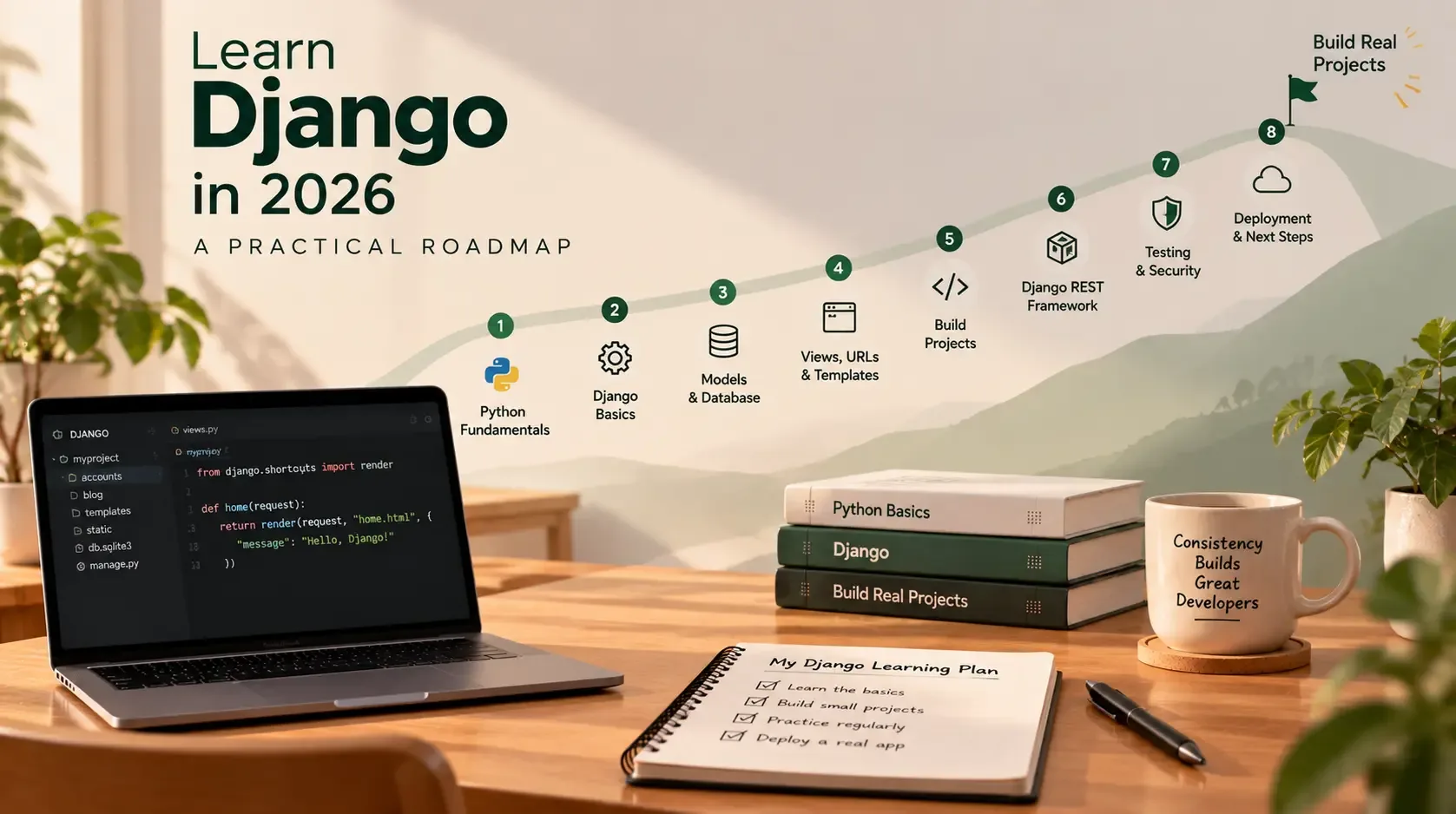
Learn Django in 2026: A Practical Roadmap
If you're learning web development in 2026, Django is a useful framework to consider. It gives Python developers a structured way to build database-backed websites, internal tools, customer portals, content platforms, and web APIs without having to assemble every backend feature from scratch.
But learning Django can feel overwhelming at first. Tutorials may jump between models, views, templates, APIs, authentication, and deployment without explaining what you should learn first—or how the pieces fit together.
The solution is to follow a roadmap and build as you learn. You do not need to memorise the entire framework before creating something useful. You need a strong foundation, a sensible learning order, and several small projects that gradually become more realistic.
This guide lays out a practical path for beginners, students, and aspiring backend developers.
Is Django worth learning in 2026?
Django remains an actively maintained Python web framework. As of 29 October 2026, the official download page lists Django 6.1.2 as the latest official release, with Django 5.2 as an LTS series. Always check the official support table before starting a new project or upgrading an existing one.
Django is especially useful when you want to build applications that need features such as:
- Database models and query tools.
- URL routing and server-side views.
- HTML templates and forms.
- User authentication and permissions.
- An automatically generated administrative interface.
- Security protections and a structured project layout.
- APIs when combined with Django REST Framework.
Django is not the only way to build a web application, and learning it does not guarantee a job. Its value comes from understanding how to use the framework to solve real problems and being able to explain, test, and maintain the applications you build.
The learning roadmap at a glance
<text>Use this as a flexible sequence rather than a strict deadline. The timeline assumes regular practice; if you're new to programming, spend longer on Python and web fundamentals.</text>
| Stage | Focus | Practical outcome |
|---|---|---|
| 1 | Python fundamentals | Write small programs and organise code into functions and modules |
| 2 | Web and database basics | Understand requests, responses, HTTP, HTML, SQL, and relational data |
| 3 | Django foundations | Build a small server-rendered website |
| 4 | Models and ORM | Store, query, validate, and relate data |
| 5 | Templates, forms, and authentication | Build a usable application with protected pages |
| 6 | Testing and security | Verify behaviour and protect user data |
| 7 | Django REST Framework | Build and test a JSON API |
| 8 | Deployment and portfolio | Run a project in production and document it clearly |
The best way to progress is to finish a small deliverable at each stage. Reading a topic is useful, but writing and debugging the code is what turns it into a skill.
Stage 1: Build a foundation in Python
You do not need to become a Python expert before starting Django, but you should be comfortable with the language's everyday building blocks.
Learn:
- Variables, strings, numbers, booleans, and type conversion.
- Lists, tuples, sets, and dictionaries.
ifstatements and loops.- Functions, parameters, return values, and scope.
- Imports, modules, and packages.
- Exceptions and basic error handling.
- File reading and writing.
- Classes, objects, and inheritance at a beginner level.
- Virtual environments and installing packages with
pip.
For example, a simple function might calculate the total for a shopping basket:
def calculate_total(prices):
    return sum(prices)


basket = [199.00, 349.00, 120.00]
print(calculate_total(basket))
Later, a Django view may use the same ideas—functions, data structures, imports, and error handling—but within a web request/response workflow.
Practice project: command-line task tracker
Write a small program that lets a user add tasks, list them, and mark them complete. Start with in-memory data; then try saving the tasks to a JSON file.
This project teaches you to break a problem into functions and manage data before you introduce Django's models and database.
Move on when: you can read a short Python program, write your own functions, work with dictionaries and lists, and understand common errors well enough to debug them.
Stage 2: Understand how the web works
Django is a web framework, so learn the basic web concepts that sit around it.
Learn these concepts
- HTTP requests and responses: how a browser asks a server for a page or resource.
- URLs and routing: how a path maps to an application action.
- HTML: the structure of a web page.
- CSS: the presentation and layout of a page.
- Forms: how a browser submits user input.
- Cookies and sessions: how a site can remember a user across requests.
- JSON: a common format for data exchanged through APIs.
- SQL and relational databases: tables, rows, primary keys, foreign keys, and basic queries.
- Git: how to track changes and work with a codebase safely.
You do not need to master frontend development before learning Django. Start with enough HTML to understand templates and forms, enough CSS to build a readable page, and enough JavaScript to recognise what happens in the browser. You can deepen those skills as your projects require them.
Practice project: a static profile website
Create a few HTML pages with navigation, headings, links, and a contact form layout. Use CSS to make them responsive. The form does not need to send data yet; the aim is to understand page structure and browser behaviour.
Move on when: you can explain what happens when a user opens a URL, submits a form, and receives a response.
Stage 3: Create your first Django project
Now you can begin working with Django itself.
Create and activate a virtual environment, install Django, and start a project:
python -m venv .venv
On Windows:
.venv\Scripts\activate
On macOS or Linux:
source .venv/bin/activate
Install a supported Django version appropriate for your Python version:
python -m pip install Django
Create the project:
django-admin startproject config .
python manage.py runserver
Open the local address printed by the development server. Keep runserver for local development; it is not a production deployment solution.
Understand the project structure
A new Django project typically includes:
manage.py— a command-line entry point for project tasks.settings.py— project configuration.urls.py— the main URL configuration.asgi.pyandwsgi.py— entry points for compatible application servers.
A project contains configuration for the complete site. An app is a package that groups related functionality, such as blog posts, accounts, or inventory. One project can contain multiple apps.
Create an app:
python manage.py startapp tasks
Add the app to INSTALLED_APPS in settings.py, then start exploring URLs, views, and templates.
Learn the request-response flow
A simplified Django request usually follows this path:
- A browser sends a request to a URL.
- Django's URL configuration matches the path to a view.
- The view performs the required work, which may involve a database query.
- The view returns an HTTP response, often by rendering a template.
- The browser displays the response.
A minimal view looks like this:
# tasks/views.py
from django.http import HttpResponse


def home(request):
    return HttpResponse("My first Django page")
Map it to a URL in the app and include that URL configuration in the project's main URL configuration. Then visit the path in your browser.
Move on when: you can create an app, connect a URL to a view, return a response, and render a basic template.
Stage 4: Learn models, databases, and the ORM
Most useful Django applications store data. Django models describe that data, while the Object-Relational Mapper (ORM) lets you create and query database records using Python.
Learn:
- Model fields and field types.
- Primary keys and relationships.
ForeignKey,ManyToManyField, andOneToOneField.- Migrations and how schema changes are applied.
- Creating, reading, updating, and deleting records (CRUD).
- Filtering and ordering QuerySets.
- Basic aggregation and annotations.
- Avoiding unnecessary database queries.
- Data validation and model constraints.
For example:
# tasks/models.py
from django.db import models


class Task(models.Model):
    title = models.CharField(max_length=200)
    is_complete = models.BooleanField(default=False)
    created_at = models.DateTimeField(auto_now_add=True)

    def __str__(self):
        return self.title
After adding a model, create and apply migrations:
python manage.py makemigrations
python manage.py migrate
You can query the model using the ORM:
Task.objects.all()
Task.objects.filter(is_complete=False)
Task.objects.order_by("-created_at")
Understand what these queries return and when they are evaluated. As your projects grow, learn to recognise extra queries and use tools such as select_related() or prefetch_related() when appropriate.
Practice project: task manager
Build a task manager where users can create tasks, view a list, mark tasks complete, edit them, and delete them. Store the tasks in a database instead of a Python list.
Move on when: you can design a simple model, apply migrations, query data, and implement all four CRUD operations.
Stage 5: Templates, forms, authentication, and the admin
This stage turns your database-backed code into an application people can use.
Templates
Learn template inheritance, context data, loops, conditionals, URL reversing, and static files. Use a shared base.html layout so pages can reuse navigation and page structure.
Forms
Learn how Django forms validate input, display errors, and clean submitted data. Understand the difference between a normal form and a ModelForm, which can be tied to a model.
Do not trust browser-side validation alone. Validate user input on the server.
Authentication and permissions
Learn how to:
- Create users and log users in and out.
- Restrict pages to authenticated users.
- Check permissions before allowing sensitive actions.
- Protect forms against cross-site request forgery (CSRF).
- Ensure users can access only the records they are authorised to see.
Authentication answers “who is this user?” Permissions answer “what is this user allowed to do?” You need both concepts for applications containing private or business data.
Django admin
Register models in admin.py and learn how the admin site supports internal data management. Practise configuring list displays, search fields, filters, and read-only fields.
The admin is useful for internal workflows, but it does not automatically replace a custom interface for customers or staff who need a purpose-built experience.
Practice project: a small blog
Build a blog with a post list, post detail pages, a create/edit workflow for authorised users, and admin management. Add validation and sensible permissions.
Move on when: users can submit valid forms, see useful errors, sign in, and access only the pages and records allowed by your rules.
Stage 6: Learn testing, debugging, and security
Writing code that works once is not the same as building an application you can change safely.
Learn Django's test tools and write tests for:
- Model behaviour and validation.
- URL resolution and view responses.
- Forms with valid and invalid input.
- Authentication and permissions.
- Important business rules.
- API endpoints, if your project has them.
For example, a simple view test may look like:
from django.test import TestCase
from django.urls import reverse


class HomePageTests(TestCase):
    def test_home_page_returns_success(self):
        response = self.client.get(reverse("home"))
        self.assertEqual(response.status_code, 200)
This assumes that your URL configuration contains a route named home.
Also learn to read tracebacks, use breakpoints or logging, inspect database queries, and reproduce bugs with small test cases.
Security basics to practise
- Keep
DEBUG = Falsein production. - Store secrets outside source control.
- Configure
ALLOWED_HOSTScorrectly. - Use HTTPS in production.
- Keep Django and dependencies updated.
- Apply authentication and object-level access checks where needed.
- Validate uploads and limit their size appropriately.
- Use Django's deployment checklist before release.
- Back up important data and test restoration.
Django includes many security protections, but they do not remove the need for secure configuration and careful application logic.
Move on when: you can write tests for an important user flow, investigate a failing test, and explain how your app protects user data.
Stage 7: Learn Django REST Framework
Once you are comfortable with Django's models, views, routing, and authentication, start learning Django REST Framework (DRF) if you want to build APIs for mobile apps, frontend applications, integrations, or other services.
Learn in this order:
- JSON requests and responses.
- Serializers and validation.
- API views and generic views.
- ViewSets and routers.
- CRUD endpoints.
- Authentication and permissions.
- Pagination, filtering, and search.
- Error responses and status codes.
- API testing.
- API documentation and versioning basics.
A serializer translates model instances to and from data formats such as JSON and validates incoming data. It is not a replacement for permission checks; your views and querysets must still ensure users can only access permitted objects.
Practice project: a task API
Extend your task manager with endpoints to list, create, update, and delete tasks. Add authentication and ensure one user cannot read or modify another user's tasks.
Test your endpoints with Django's test client or a tool such as Postman. Include both successful requests and cases that should be rejected.
Stage 8: Learn deployment and production basics
A project that runs on your laptop is not yet a deployed application. Deployment means configuring the app, database, static files, environment, and server so users can access it reliably.
Learn:
- Environment variables and secret management.
- Production settings and
DEBUG = False. - WSGI or ASGI and a compatible application server.
- Static-file collection and delivery.
- Database configuration and migrations.
- HTTPS and domain configuration.
- Logging, monitoring, and error reporting.
- Database backups and recovery.
- Basic hosting and cloud-cost estimation.
- How to roll back a broken release.
Choose a deployment platform based on your budget, skills, traffic, reliability requirements, and maintenance capacity. You can start with a simple managed option or a small virtual server, then learn more advanced AWS or container deployments when you have a reason to use them.
Do not copy production settings blindly from a tutorial. Follow Django's deployment checklist for the version you are using and verify each setting against your environment.
Move on when: another person can open your deployed app, complete its main workflow, and use it without needing access to your development machine.
A practical 12-week learning schedule
This schedule is a starting point, not a promise that everyone will become job-ready in three months. Your pace depends on prior programming experience and how much time you can practise.
| Week | Main focus | Deliverable |
|---|---|---|
| 1 | Python basics, functions, data structures | Small command-line program |
| 2 | Modules, exceptions, virtual environments, Git | Task tracker saved to a file |
| 3 | HTML, CSS, HTTP, SQL basics | Static multi-page website |
| 4 | Django project, apps, URLs, views, templates | Basic server-rendered site |
| 5 | Models, migrations, ORM, admin | Database-backed task manager |
| 6 | Forms, validation, CRUD, templates | Full task-management workflow |
| 7 | Authentication, permissions, security basics | Protected user-specific pages |
| 8 | Testing and debugging | Tests for core application flows |
| 9 | Django REST Framework basics | CRUD API |
| 10 | API authentication, permissions, filtering | Protected API with tests |
| 11 | Deployment, static files, environment settings | Live application |
| 12 | Polish, documentation, portfolio, interview practice | One complete project and a clear README |
If you're completely new to Python, spend extra time on the first three stages. If you already know Python and web fundamentals, you may move faster through them and spend more time on testing, APIs, and deployment.
Three portfolio projects to build
Certificates and tutorial completion can support your learning, but finished projects give you concrete evidence of what you can do. Aim to build at least one project from scratch rather than following a tutorial line by line.
1. Task or habit tracker
Include user accounts, CRUD operations, filtering, form validation, and tests. This proves you understand Django's core workflow.
2. Blog or content management system
Include categories, tags, search, pagination, author permissions, and an admin workflow. Add tests for editing permissions and invalid input.
3. Customer or service portal
Build a small portal with user roles, status tracking, file uploads, search, and a REST API. Include only the features you can implement securely and explain clearly.
For every project, provide:
- A README describing the problem and main features.
- Setup instructions and environment variables required.
- A clear explanation of the database models.
- A list of tests and how to run them.
- Screenshots or a demo link, if safe and available.
- A short explanation of technical decisions and trade-offs.
You can explore Sajid Kalam's projects for examples of how web application work can be presented in a portfolio.
Common mistakes when learning Django
Watching tutorials without building independently
Following along can feel productive, but you may struggle when the code changes. After finishing a tutorial, rebuild the main feature from memory and add one feature of your own.
Learning too many tools at once
You do not need to learn Django, React, Docker, Kubernetes, AWS, and several databases in your first week. Start with Python, Django, a database, Git, and testing. Add tools when your project needs them.
Skipping databases and SQL concepts
The ORM is convenient, but understanding tables, relationships, indexes, and queries helps you design better models and debug slow pages.
Ignoring tests and permissions
A feature can appear to work while exposing private data or breaking another workflow. Test important paths and check what happens when users try actions they should not be allowed to perform.
Treating deployment as an afterthought
Deployment introduces configuration, static files, secrets, database access, and operational concerns. Deploy a small project early enough to learn these concepts before your final portfolio project.
Copying version-specific tutorials without checking compatibility
Django and its dependencies evolve. Check which Django and Python versions a tutorial supports, and use the documentation for the version installed in your project. As of October 2026, Django's official download page lists 6.1.2 as the latest official release, but a project's dependency requirements may call for a different supported version.
What should you learn after Django?
Choose your next step based on the type of work you want to do:
- Backend development: deepen SQL, query optimisation, caching, background jobs, API design, and system architecture.
- Full-stack development: improve HTML, CSS, JavaScript, and consider a frontend framework when your projects need it.
- API development: practise DRF permissions, filtering, pagination, documentation, and automated tests.
- Cloud and DevOps: learn Linux, deployment automation, environment management, monitoring, backups, and cloud infrastructure.
- Software engineering fundamentals: practise Git workflows, code reviews, debugging, data structures, and clear technical documentation.
You do not need to learn all of these tracks at once. Pick one direction, build a project that requires it, and deepen your skills through the work.
Final thoughts
To learn Django in 2026, focus on a sequence: Python first, web fundamentals next, then Django's request-response flow, models, templates, forms, authentication, testing, APIs, and deployment. Build a small project at each stage and revisit the official documentation whenever you need to understand a feature more deeply.
The goal is not to memorise every class or command. It is to become capable of taking a real problem, modelling the data, building a secure workflow, testing it, and deploying an application that other people can use.
Start with a task tracker, finish it, and then build something closer to the kind of application you want to work on professionally. Consistent practice and a small number of complete projects will take you further than endlessly collecting tutorials.
If you need help planning or building a Django application, contact Sajid Kalam to discuss your project.