
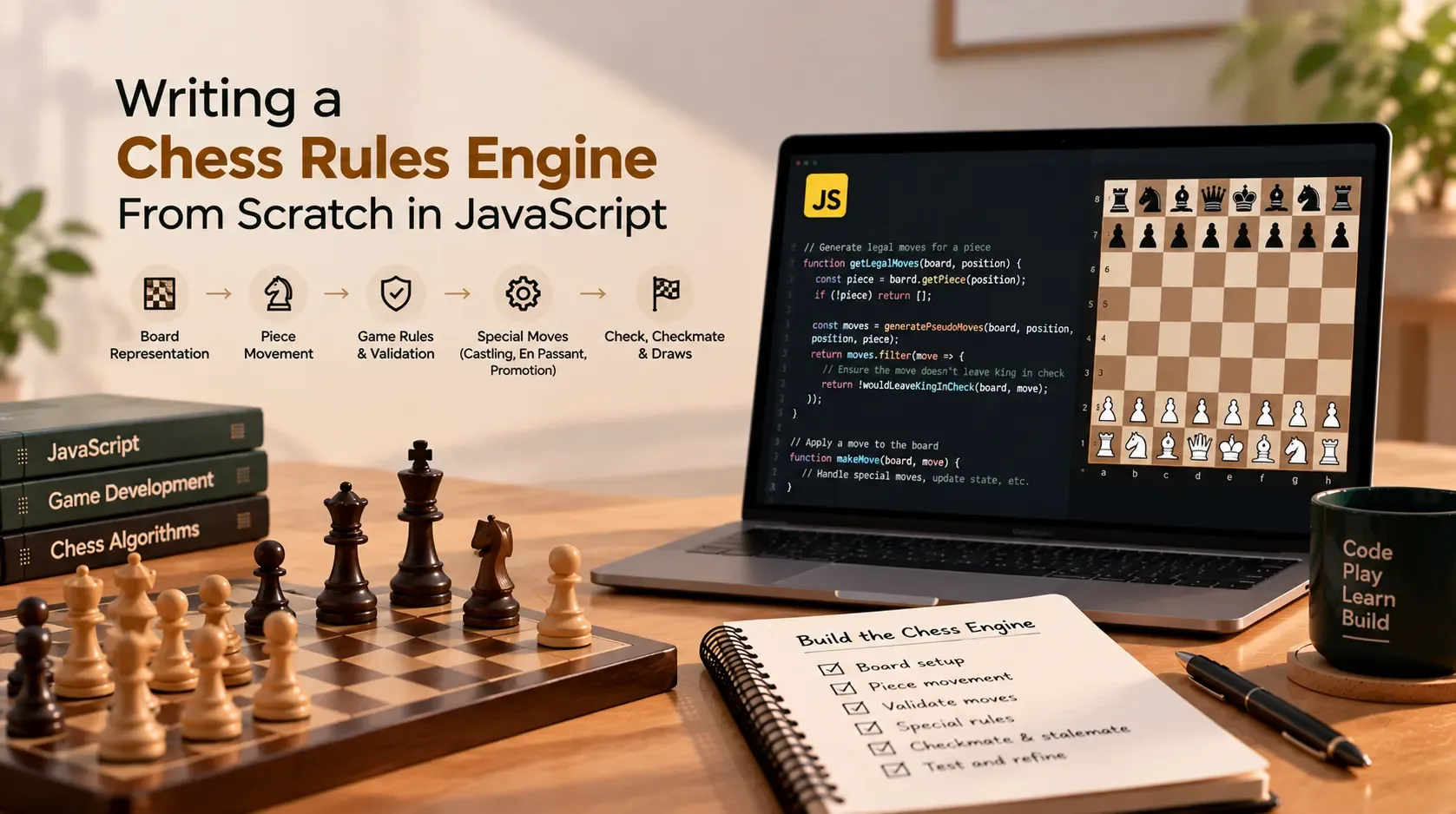
Writing a Chess Rules Engine From Scratch in JavaScript
A chessboard looks simple: 64 squares, 32 pieces at the start, and two players taking turns. The difficult part is making sure every move follows the rules.
A rook cannot jump over another piece. A king cannot move into check. A pawn moves differently from how it captures. Castling depends on the king's history and the squares it crosses. En passant is available only in a narrow situation, and promotion changes a pawn into another piece.
These details make chess an excellent project for learning state management, algorithms, validation, and testing in JavaScript.
In this tutorial, we will design a small chess rules engine from scratch. The goal is to understand the architecture and the core algorithms—not to squeeze in a chess-playing AI. A rules engine validates and applies moves; an engine that chooses strong moves needs a separate search and evaluation system.
The implementation below builds a foundation that can be extended into a browser game or a two-player project such as Chess for Two.
What should a chess rules engine do?
At minimum, a useful rules engine needs to:
- Represent the board and the side to move.
- Generate candidate moves for each piece.
- Reject moves that leave the moving side's king in check.
- Apply a legal move and update the game state.
- Detect check, checkmate, and stalemate.
- Support special rules: castling, en passant, and pawn promotion.
- Detect other game-ending or draw conditions if the product requires them.
- Provide a clean interface to the user interface and tests.
A production-ready implementation should also consider repetition tracking, the fifty-move rule, insufficient material, notation, position serialization, and edge cases in imported positions.
1. Choose a board representation
There are several reasonable ways to store a chess position. For a first implementation, an 8-by-8 array is easy to understand.
We can use null for an empty square and an object for a piece:
const piece = {
  type: "rook",   // king, queen, rook, bishop, knight, pawn
  color: "white", // white or black
};
The board is an array of ranks, each containing eight squares:
const board = Array.from(
  { length: 8 },
  () => Array(8).fill(null)
);

// Example: place a white rook on a1.
board[7][0] = { type: "rook", color: "white" };
In this representation, row 0 is rank 8 and row 7 is rank 1. Column 0 is file a, and column 7 is file h. That convention makes the board easy to render, but it must be used consistently.
A helper can convert algebraic square names such as e4 to array coordinates:
function squareToCoords(square) {
  const file = square.charCodeAt(0) - "a".charCodeAt(0);
  const rank = Number(square[1]);

  if (
    !/^[a-h][1-8]$/.test(square) ||
    !Number.isInteger(rank)
  ) {
    throw new Error(`Invalid square: ${square}`);
  }

  return [8 - rank, file];
}

function coordsToSquare(row, col) {
  if (row < 0 || row > 7 || col < 0 || col > 7) {
    throw new Error("Coordinates are outside the board");
  }

  return String.fromCharCode("a".charCodeAt(0) + col) +
    String(8 - row);
}

squareToCoords("e4"); // [4, 4]
coordsToSquare(4, 4);  // "e4"
For a small project, this representation is readable and sufficient. More advanced engines may use bitboards or compact mailbox layouts for speed, but optimization is easier after correctness is established.
2. Keep the full game state together
The board alone is not enough to determine legal moves. The same piece arrangement can have different legal moves depending on whose turn it is, castling rights, and whether en passant is available.
A useful starting state is:
const state = {
  board,
  turn: "white",
  castling: {
    whiteKingSide: true,
    whiteQueenSide: true,
    blackKingSide: true,
    blackQueenSide: true,
  },
  enPassantTarget: null,
  halfmoveClock: 0,
  fullmoveNumber: 1,
};
These initial castling flags are only correct for the untouched starting position. As soon as a king or rook moves—or a rook is captured on its original square—the relevant right may need to be removed.
The halfmoveClock counts half-moves since the last pawn move or capture. The fullmoveNumber advances after Black's move. These fields help support draw rules and position serialization.
For a maintainable implementation, avoid changing the board from unrelated UI event handlers. Keep state transitions inside the rules engine so every move follows the same validation path.
3. Set up the initial position
Create a helper that returns a fresh board. This prevents separate games from accidentally sharing the same nested arrays or piece objects.
function createInitialBoard() {
  const backRank = [
    "rook", "knight", "bishop", "queen",
    "king", "bishop", "knight", "rook",
  ];

  const board = Array.from(
    { length: 8 },
    () => Array(8).fill(null)
  );

  for (let col = 0; col < 8; col++) {
    board[0][col] = {
      type: backRank[col],
      color: "black",
    };
    board[1][col] = { type: "pawn", color: "black" };
    board[6][col] = { type: "pawn", color: "white" };
    board[7][col] = {
      type: backRank[col],
      color: "white",
    };
  }

  return board;
}
A good initialization test checks the number of pieces and the positions of both kings. If you later add position loading, validate that the input has a coherent board state before using it.
4. Build reusable movement helpers
Piece movement can be divided into two categories:
- Sliding pieces: bishops, rooks, and queens move along directions until the board edge or a blocking piece.
- Step pieces: kings and knights move a limited distance in specific patterns. Pawns have their own rules.
First, define board-boundary and occupancy helpers:
function isInsideBoard(row, col) {
  return row >= 0 && row < 8 && col >= 0 && col < 8;
}

function getPiece(board, row, col) {
  if (!isInsideBoard(row, col)) return null;
  return board[row][col];
}

function isEnemyPiece(piece, color) {
  return piece !== null && piece.color !== color;
}
Now implement sliding moves. The function below generates pseudo-legal moves: they follow the piece's movement pattern and account for blocking pieces, but they have not yet been checked for exposing the king.
function slidingMoves(board, fromRow, fromCol, piece, directions) {
  const moves = [];

  for (const [dr, dc] of directions) {
    let row = fromRow + dr;
    let col = fromCol + dc;

    while (isInsideBoard(row, col)) {
      const target = board[row][col];

      if (target === null) {
        moves.push({ from: [fromRow, fromCol], to: [row, col] });
      } else {
        if (target.color !== piece.color) {
          moves.push({ from: [fromRow, fromCol], to: [row, col] });
        }

        // Neither side's piece can be jumped over.
        break;
      }

      row += dr;
      col += dc;
    }
  }

  return moves;
}
Use direction lists for the sliding pieces:
const ROOK_DIRECTIONS = [
  [-1, 0], [1, 0], [0, -1], [0, 1],
];

const BISHOP_DIRECTIONS = [
  [-1, -1], [-1, 1], [1, -1], [1, 1],
];

const QUEEN_DIRECTIONS = [
  ...ROOK_DIRECTIONS,
  ...BISHOP_DIRECTIONS,
];
The direction lists are reusable, which makes the movement code easier to test and extend.
5. Generate knight and king moves
Knights jump in an L shape, so intervening squares do not matter. A destination is valid for pseudo-legal movement if it is on the board and is empty or occupied by an enemy piece.
const KNIGHT_OFFSETS = [
  [-2, -1], [-2, 1], [-1, -2], [-1, 2],
  [1, -2], [1, 2], [2, -1], [2, 1],
];

function stepMoves(board, row, col, piece, offsets) {
  const moves = [];

  for (const [dr, dc] of offsets) {
    const toRow = row + dr;
    const toCol = col + dc;

    if (!isInsideBoard(toRow, toCol)) continue;

    const target = board[toRow][toCol];

    if (target === null || target.color !== piece.color) {
      moves.push({
        from: [row, col],
        to: [toRow, toCol],
      });
    }
  }

  return moves;
}
King offsets are all eight adjacent squares:
const KING_OFFSETS = [
  [-1, -1], [-1, 0], [-1, 1],
  [0, -1],           [0, 1],
  [1, -1],  [1, 0],  [1, 1],
];
This code intentionally does not stop the king from moving into an attacked square. That restriction belongs in the legal-move filtering stage. Separating movement patterns from king-safety checks keeps the logic easier to reason about.
6. Handle pawn movement separately
Pawns are more complicated than other pieces because their movement and capture rules differ.
For a pawn:
- It moves one square forward into an empty square.
- From its starting rank, it may move two squares if both squares are empty.
- It captures one square diagonally forward, but only when an enemy piece is there.
- It may capture en passant in a specific position.
- It must promote on reaching the final rank.
With row 0 representing rank 8, White moves toward decreasing row numbers and Black toward increasing row numbers.
Here is the ordinary movement portion:
function pawnMoves(board, row, col, piece) {
  const moves = [];
  const direction = piece.color === "white" ? -1 : 1;
  const startRow = piece.color === "white" ? 6 : 1;
  const oneStepRow = row + direction;

  // Forward moves require empty squares.
  if (isInsideBoard(oneStepRow, col) &&
      board[oneStepRow][col] === null) {
    moves.push({
      from: [row, col],
      to: [oneStepRow, col],
    });

    const twoStepRow = row + 2 * direction;

    if (
      row === startRow &&
      board[twoStepRow][col] === null
    ) {
      moves.push({
        from: [row, col],
        to: [twoStepRow, col],
      });
    }
  }

  // Diagonal captures.
  for (const dc of [-1, 1]) {
    const targetRow = row + direction;
    const targetCol = col + dc;

    if (!isInsideBoard(targetRow, targetCol)) continue;

    const target = board[targetRow][targetCol];

    if (target !== null && target.color !== piece.color) {
      moves.push({
        from: [row, col],
        to: [targetRow, targetCol],
      });
    }
  }

  return moves;
}
This is deliberately an incomplete pawn generator: it does not yet include en passant or promotion metadata. Keeping those special cases explicit makes it easier to add and test them without obscuring the basic rules.
7. Find the king and detect attacked squares
The most important distinction in a chess rules engine is between pseudo-legal moves and legal moves.
A pseudo-legal move follows the piece's movement rules. A legal move also leaves the moving side's king safe. To check king safety, the engine needs to determine whether a square is attacked by an enemy piece.
First, find the king:
function findKing(board, color) {
  for (let row = 0; row < 8; row++) {
    for (let col = 0; col < 8; col++) {
      const piece = board[row][col];

      if (piece && piece.type === "king" && piece.color === color) {
        return [row, col];
      }
    }
  }

  throw new Error(`King not found for ${color}`);
}
Next, implement isSquareAttacked(board, row, col, byColor). Conceptually, this function asks whether any piece of byColor can attack the target square according to its attack pattern.
Important details:
- Pawn attacks are diagonal even when the destination square is empty.
- Knights attack their L-shaped destinations.
- Bishops, rooks, and queens attack along their lines until blocked.
- Kings attack adjacent squares.
- A pinned piece still attacks squares for purposes of king movement and castling safety. Do not define attack as “a move the enemy could legally make,” or king-safety checks can become circular.
A clean implementation checks each enemy piece and its attack pattern. For sliding attacks, stop at the first occupied square. Keep this attack-detection function separate from ordinary move generation, especially for pawns and kings.
8. Filter pseudo-legal moves into legal moves
A straightforward way to validate king safety is:
- Generate the piece's pseudo-legal moves.
- Make a temporary copy of the position.
- Apply each candidate move to the copy.
- Find the moving side's king.
- Reject the candidate if the king is attacked in the resulting position.
Conceptually:
function getLegalMoves(state, fromRow, fromCol) {
  const piece = state.board[fromRow][fromCol];

  if (!piece || piece.color !== state.turn) return [];

  const candidates = generatePseudoLegalMoves(state, fromRow, fromCol);

  return candidates.filter((move) => {
    const nextState = cloneState(state);
    applyMoveUnchecked(nextState, move);

    const [kingRow, kingCol] = findKing(nextState.board, piece.color);

    return !isSquareAttacked(
      nextState.board,
      kingRow,
      kingCol,
      oppositeColor(piece.color)
    );
  });
}
The functions generatePseudoLegalMoves, cloneState, applyMoveUnchecked, oppositeColor, and isSquareAttacked are interfaces to implement in the complete engine; they are not defined by the snippets above. The example illustrates the architecture rather than being a standalone, copy-paste-complete engine.
For a small application, copying the state can be an acceptable starting point. For a more advanced engine, use a carefully reversible make/unmake-move system to reduce allocations and improve performance.
Do not forget that applyMoveUnchecked must handle all effects of a move, including captures and special moves, so the king-safety test evaluates the real resulting position.
9. Detect check, checkmate, and stalemate
A king is in check when its current square is attacked by the opponent.
Checkmate occurs when the side to move is in check and has no legal move. Stalemate occurs when the side to move is not in check but has no legal move.
The decision logic is:
function getGameStatus(state) {
  const side = state.turn;
  const [kingRow, kingCol] = findKing(state.board, side);

  const inCheck = isSquareAttacked(
    state.board,
    kingRow,
    kingCol,
    oppositeColor(side)
  );

  const hasLegalMove = hasAnyLegalMove(state);

  if (hasLegalMove) {
    return inCheck ? "check" : "ongoing";
  }

  return inCheck ? "checkmate" : "stalemate";
}
Again, hasAnyLegalMove is a helper to implement by checking the legal moves of every piece belonging to the side to move.
A common mistake is to treat “king is not in check” as “game is not over.” Stalemate is precisely the situation where a player has no legal move but is not in check.
10. Implement castling as a special move
Castling moves the king two squares toward a rook and moves that rook to the square immediately next to the king. It is not an ordinary king move.
For castling to be legal, the engine must verify all relevant conditions:
- The king has not previously moved.
- The selected rook has not previously moved.
- All squares between the king and rook are empty.
- The king is not currently in check.
- The king does not cross an attacked square.
- The king does not finish on an attacked square.
Castling rights should be updated when a king moves, when a rook moves from its original square, and when a rook is captured on its original square. Track rights explicitly rather than inferring them only from the current board arrangement: a rook may return to its starting square, but its lost castling right does not return.
The exact squares to inspect differ for kingside and queenside castling. On the queenside, the square between the rook and king that is not crossed by the king must still be empty, even though the king does not travel through that square.
11. Implement en passant
En passant is a special pawn capture. It is available only immediately after an opposing pawn advances two squares from its starting rank and lands beside the capturing pawn.
The state needs an enPassantTarget square. After a pawn makes a two-square move, set that target to the square it passed over. Otherwise, clear the target.
When a pawn moves diagonally to the en passant target:
- Move the capturing pawn to the target square.
- Remove the opposing pawn from the square it occupied beside the capturing pawn.
- Clear the en passant target.
- Check king safety after all these changes.
The last point is essential. En passant can uncover a rook or queen attack along a rank, leaving the capturing side's king in check. A legal-move filter must reject such a capture.
12. Add pawn promotion
When a pawn reaches the final rank, it must promote to a queen, rook, bishop, or knight. Promotion is not limited to a queen.
A move object can carry the chosen piece:
const move = {
  from: [1, 0],
  to: [0, 0],
  promotion: "queen",
};
The user interface can prompt the player to choose a piece, but the rules engine must validate and apply the choice. Decide how the engine handles a promotion move when no piece is specified: it may reject the move until the choice is provided, or apply a documented default such as queen promotion. Avoid silently allowing invalid promotion values.
Promotion can happen during a capture as well as a forward pawn move.
13. Make and undo moves safely
Legal-move generation often needs to try a move and then undo it. You can begin with a deep-enough copy of the state, but copying the board for every candidate may become expensive.
A make/unmake system records the information needed to reverse a move:
- The moving piece and its source/destination squares.
- Any captured piece and its square, including the en passant capture square.
- The previous castling rights.
- The previous en passant target.
- The previous halfmove and fullmove counters.
- The promotion choice, if applicable.
A safe pattern is to return an undo record from the move-application function. Then the engine can restore the exact previous state after testing a candidate.
Be cautious with shallow copies. Copying only the outer board array while retaining the same rank arrays means a test move can mutate the original state. For the simple nested-array representation, clone every row and any mutable state objects.
14. Keep move application separate from validation
A maintainable engine usually has distinct responsibilities:
generatePseudoLegalMoves(state, square)— generate movement candidates.isSquareAttacked(state, square, color)— check attacks.getLegalMoves(state, square)— remove candidates that leave the king in check.applyMove(state, move)— validate and apply a player's move.applyMoveUnchecked(state, move)— apply a candidate internally after it has been generated.getGameStatus(state)— report check, checkmate, stalemate, and other end conditions.serializePosition(state)— save or transmit the position.undoMove(state, undoRecord)— restore a previous position.
The public applyMove should reject illegal moves and should not mutate state when validation fails. The unchecked internal helper should only be used by trusted engine logic, such as legal-move generation.
This boundary helps keep the UI simple: the UI requests a move, and the engine decides whether the move is allowed.
15. Test the rules, not just the board display
A chessboard can render beautifully while the rules are wrong. Test the engine independently of the UI.
Start with ordinary piece movement, then add edge cases and special rules.
| Test case | What to verify |
|---|---|
| Initial position | Each side has the expected legal moves |
| Blocked rook | The rook cannot jump over a piece |
| Knight movement | The knight can jump and stays within the board |
| Pawn movement | A pawn cannot move forward into an occupied square |
| Pawn capture | A pawn captures diagonally, not straight ahead |
| King safety | A move exposing its king is rejected |
| Checkmate | No legal moves while in check is detected correctly |
| Stalemate | No legal moves without check is detected correctly |
| Castling | Rights, empty squares, and attacked squares are checked |
| En passant | The captured pawn is removed and king safety is rechecked |
| Promotion | All supported promotion pieces are applied correctly |
| Undo | The entire state is restored, including special-move rights |
| Turn order | A player cannot move the opponent's piece |
| Invalid input | Out-of-board squares and malformed moves are rejected |
Use known chess positions and compare the generated legal moves against a trusted reference implementation during development. Test move sequences as well as isolated positions: bugs often appear only after a king or rook has moved, castling rights have changed, or an en passant opportunity has expired.
Property-based tests can add further confidence. For example, for randomly generated valid positions, verify that every returned legal move leaves the moving side's king safe. Use valid positions and known invariants; arbitrary random boards may contain impossible states.
16. Add draw rules and position history
Checkmate and stalemate are not the only ways a chess game ends. Depending on your application's requirements, you may also need:
- Threefold repetition claims or automatic repetition handling according to the rules being implemented.
- The fifty-move rule.
- Insufficient material.
- Resignation and draw agreements.
- Time controls and flag-fall handling, if clocks are part of the product.
Repetition requires position history. A position key must represent the relevant state, including side to move, castling rights, and en passant availability where it affects possible moves. Comparing only the 64 piece squares is not enough.
Be precise about official rule details, including whether a draw is claimable or automatic under the ruleset you intend to support. For a public chess application, consult the current Laws of Chess rather than relying only on informal summaries.
17. Do you need a chess AI?
Not to build a rules engine.
A rules engine answers questions such as “Is this move legal?” and “Is the game over?” A chess AI chooses a move based on a position. A simple AI might select a random legal move; a stronger one may use minimax search, alpha-beta pruning, move ordering, and a position-evaluation function.
Keeping these responsibilities separate lets you build a correct two-player game first and add a computer opponent later without mixing game rules with strategy.
Suggested implementation roadmap
Build the engine in small, testable stages:
- Represent the board and initialize the pieces.
- Implement coordinate helpers and ordinary movement patterns.
- Add blocking and capture behavior.
- Detect attacked squares and locate both kings.
- Filter pseudo-legal moves to enforce king safety.
- Implement move application and undo.
- Add castling, en passant, and promotion.
- Detect checkmate and stalemate.
- Add repetition, draw rules, and position serialization.
- Build the UI and connect it to the rules engine.
- Add automated regression tests and compare against trusted reference positions.
Do not move to a new stage just because the board looks correct. Move forward when the current rules are covered by tests and known edge cases pass.
Common mistakes to avoid
- Mixing UI and rules: keep game logic independent from click handlers and rendering.
- Treating pseudo-legal moves as legal: always test king safety.
- Forgetting attack semantics: pawn attacks and pinned-piece attacks need careful handling.
- Tracking castling only by piece location: rights are historical state.
- Implementing en passant as an ordinary capture: the captured pawn is on a different square.
- Ignoring promotion choices: a pawn can promote to multiple piece types.
- Using shallow copies for simulations: candidate moves can accidentally mutate the live board.
- Testing only the starting position: many special-rule bugs require carefully constructed positions.
- Adding AI before correctness: strategic search cannot compensate for an incorrect move generator.
Final thoughts
Writing a chess rules engine from scratch is a rewarding way to practice JavaScript state modeling, algorithm design, validation, and automated testing. The most important design decision is to separate candidate movement from legal-move validation, then apply every move through one consistent state-transition path.
The snippets in this tutorial demonstrate the main building blocks and architecture; they are not a complete tournament-ready engine. A complete implementation still needs the helper functions described above, all special-move state transitions, draw rules, position validation, and a thorough test suite.
If you want to see how this kind of logic fits into a real project, explore Chess for Two and browse Sajid Kalam's other projects.