
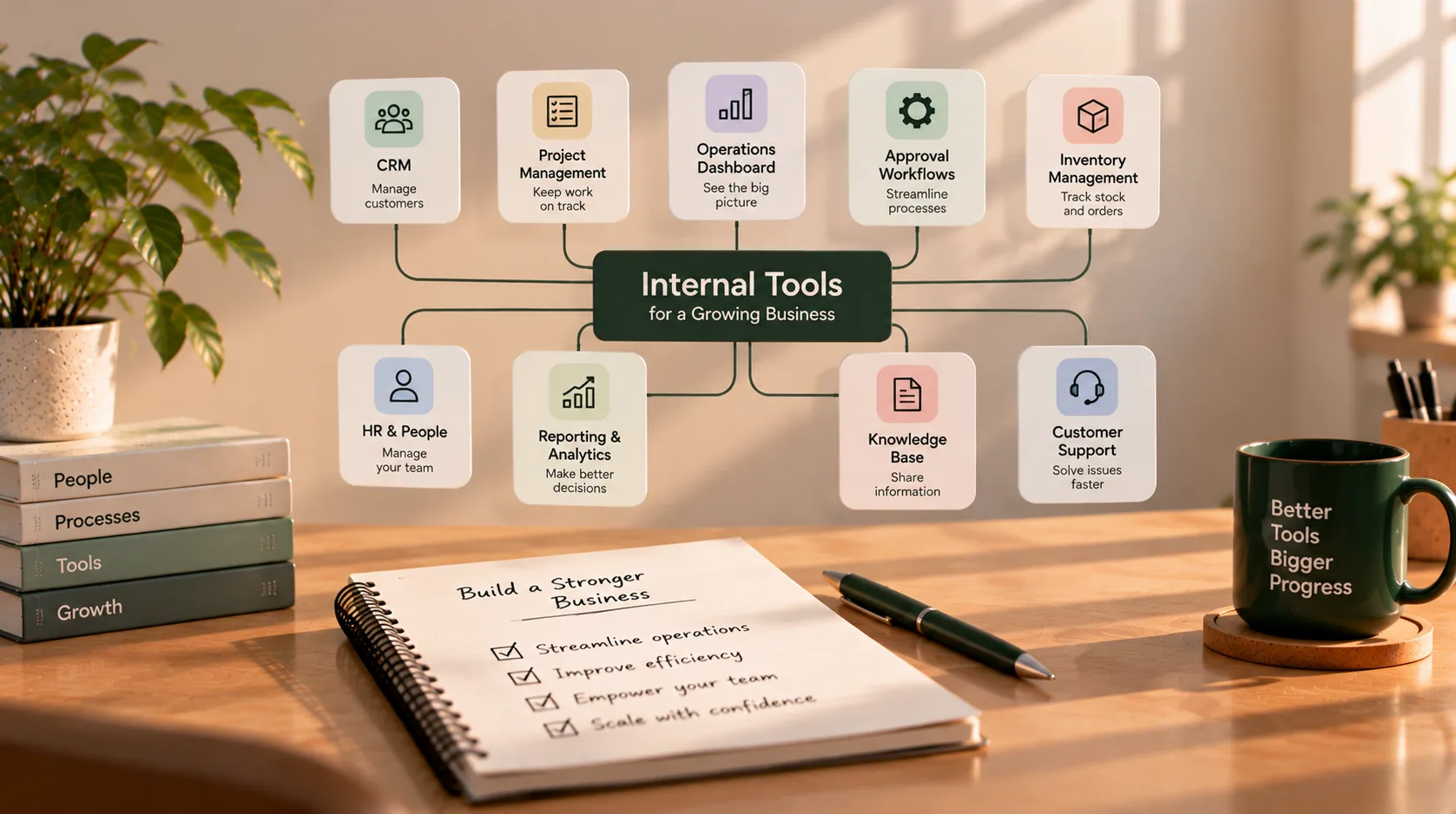
Internal Tools Every Growing Business Eventually Needs
In the early days of a business, a spreadsheet, a shared inbox, and a few familiar apps can be enough to keep work moving. Everyone knows who is handling what, information is easy to find, and most decisions happen in a quick conversation.
As the business grows, those informal systems can become harder to manage. Customer information sits in different places, approvals disappear in email threads, reports take hours to assemble, and employees rely on one person to explain how a process works.
That does not mean every growing business needs a custom software platform. Often, an existing product or a better-connected set of tools is enough. But as recurring workflows become more complex, internal business tools can help your team manage information, standardise processes, and see what needs attention.
Here are 10 types of internal tools worth considering as your business grows, what each one does, and when it may be useful.
What are internal business tools?
Internal tools are applications or systems used primarily by employees and authorised partners to run the business behind the scenes. They may manage customers, projects, approvals, inventory, employee requests, operational data, or reporting.
Some are ready-made products. Others are built by configuring low-code platforms, connecting existing services, or developing a custom application around a specific workflow.
The goal is not to collect more software. It is to make important work easier to complete and easier to track.
1. Customer relationship management (CRM) system
A CRM helps your team keep customer and prospect information organised. Instead of tracking leads in personal spreadsheets or relying on memory, staff can see contact details, conversations, sales stages, follow-up tasks, and relevant notes in one place.
A useful CRM may include:
- Contact and company records
- Lead and opportunity stages
- Follow-up reminders and task ownership
- Conversation or activity history
- Basic pipeline reporting
- Connections to email, forms, or other sales tools
When you need it: Leads are coming from multiple channels, more than one person handles sales, or follow-ups are being missed because nobody has a shared view of the pipeline.
Start with an established CRM if it fits your sales process. A custom CRM may make sense only when your workflow has important requirements that existing products cannot reasonably support.
2. Project and task management system
As the team takes on more clients, projects, or internal initiatives, work can become scattered across messages, documents, and individual to-do lists.
A project management tool gives tasks an owner, a deadline, a status, and a place for relevant context. Depending on the business, it may also track dependencies, milestones, time, workload, and recurring processes.
Useful capabilities include:
- Task assignment and due dates
- Project boards or lists
- Priorities and status tracking
- Shared files and task discussions
- Milestones and dependencies
- Workload or progress reporting
When you need it: People regularly ask for status updates, tasks are forgotten between handoffs, or managers cannot see which projects are blocked.
The tool should match how your team works. A small team may need only a shared board; a team managing complex delivery may need dependencies, approvals, and reporting.
3. Operations dashboard
An operations dashboard brings key information from different parts of the business into one useful view. It may show active projects, outstanding requests, customer issues, orders awaiting action, upcoming deadlines, or other operational measures.
A dashboard is especially helpful when a manager has to open several systems just to understand what needs attention today.
A practical dashboard should:
- Focus on decisions and actions, not just attractive charts
- Show the current status of important work
- Make exceptions and overdue items visible
- Use clearly defined metrics
- Link to the underlying record or workflow when possible
When you need it: Leaders spend too much time collecting updates manually or important problems are noticed only after someone raises them.
A reporting tool may be enough if you only need to view metrics. If staff need to update records or trigger actions from the dashboard, you may need a more interactive internal application.
4. Approval and request workflow tool
Growing businesses often handle approvals for expenses, purchases, leave, content, discounts, contracts, or access requests. When these processes run through long email chains or informal messages, it becomes difficult to know who needs to act next.
A request workflow provides a structured way to submit information, route it to the right person, record the decision, and notify the people involved.
Common features include:
- Standard request forms
- Approval rules and assigned approvers
- Status tracking and reminders
- Comments or requests for more information
- A record of who approved or rejected a request
- Escalation paths for overdue decisions
When you need it: Requests are frequently delayed, approvals depend on chasing people, or the business needs a reliable record of decisions.
Map the process before automating it. If the rules are unclear, software may simply make a confusing process move faster.
5. Inventory, order, or resource management tool
Businesses that sell products, manage equipment, or coordinate physical resources need a dependable way to track availability and movement. A spreadsheet may work initially, but it can become unreliable when multiple people update it or stock changes quickly.
Depending on the business, an inventory or resource tool may track:
- Items, quantities, and locations
- Incoming and outgoing stock
- Orders, shipments, or allocations
- Suppliers and purchase orders
- Reorder thresholds and low-stock alerts
- Equipment assignment and maintenance
When you need it: The team repeatedly reconciles stock manually, cannot confidently answer availability questions, or loses time investigating mismatches between sales and inventory records.
Choose a specialist product when it fits your operation. Custom development is worth considering when the workflow is unusually specific or existing systems cannot connect to the processes you depend on.
6. Employee onboarding and internal HR portal
Hiring a new employee creates a series of tasks across people, operations, and IT. Someone needs to collect information, prepare documents, arrange equipment, assign training, and request access to the appropriate systems.
An onboarding workspace can make those responsibilities visible and repeatable. It may also support recurring employee requests such as leave, equipment, policy questions, or changes to personal details.
Possible capabilities include:
- A checklist for each new starter
- Task ownership and due dates
- Document collection and acknowledgements
- Equipment and account provisioning requests
- Training and policy resources
- A structured route for employee requests
When you need it: Onboarding depends on memory, new employees receive inconsistent experiences, or managers cannot tell which setup tasks remain incomplete.
Employee records can contain sensitive information. Use appropriate access controls and avoid building a broad HR database unless there is a clear need and a plan for protecting it.
7. Reporting and analytics dashboard
Business owners need to understand performance, but important data may be spread across accounting software, CRM systems, marketing platforms, project tools, and spreadsheets.
A reporting dashboard brings selected metrics together so the team can review performance consistently. Depending on the business, that might include sales pipeline, project delivery, customer retention, service response times, inventory movement, or cash-flow indicators.
A useful reporting tool needs more than charts. It needs agreed definitions for each metric, reliable source data, and a clear understanding of how often the data updates.
When you need it: Preparing a weekly or monthly report requires repeated exports and manual calculations, or different teams report different numbers for the same metric.
Start with a small set of questions the report should answer. Avoid collecting every possible metric simply because it is available.
8. Internal knowledge base and standard operating procedures (SOPs)
As a business grows, important knowledge can become concentrated in a few employees. New staff ask the same questions, routine tasks are completed differently, and work slows down when the person who knows the process is unavailable.
A knowledge base stores practical guidance in a searchable place. It might include onboarding instructions, checklists, process documents, troubleshooting steps, policies, and frequently asked questions.
Good documentation should be:
- Easy to find and understand
- Owned by a person or team
- Reviewed when the process changes
- Organised around real tasks
- Clear about which version is current
When you need it: Staff repeatedly ask how to complete routine tasks, onboarding takes too long, or business-critical knowledge exists mostly in conversations.
A shared documentation product is often sufficient. A custom knowledge portal may be useful when documentation must be tied to specific records, permissions, or workflows.
9. Customer support and case management system
As customer volume grows, support requests can arrive through email, forms, phone calls, and direct messages. Without a shared system, requests may be duplicated, overlooked, or handled without the context needed to resolve them.
A support or case management tool helps the team record requests, assign ownership, track status, and preserve the history of what has happened.
It may include:
- A shared request queue
- Categories, priorities, and assignment
- Status and response-time tracking
- Customer and account history
- Internal notes and escalation
- Reporting on recurring issues
When you need it: Requests are getting lost, multiple people respond to the same issue, or the team cannot see which cases are overdue.
A standard help desk product is usually a sensible starting point. A custom case management tool may be justified when your service involves specialised steps, records, or approval rules that general tools cannot represent well.
10. Admin panel and data management tool
Many businesses use software that has customer-facing features but still requires staff to manage records, review submissions, correct data, or investigate issues behind the scenes.
An admin panel provides authorised employees with a controlled interface for those tasks. It might allow staff to manage user accounts, update records, review content, correct errors, or change operational settings without asking a developer to run a database query.
A good admin tool should include:
- Role-based permissions
- Validation for important changes
- Search and filtering
- Confirmation for destructive actions
- A record of sensitive changes where appropriate
- Clear separation between viewing and editing access
When you need it: Routine administrative work requires technical help, employees edit production data through unsafe workarounds, or staff cannot resolve simple issues without escalating them.
An admin interface can be powerful, so permissions and safeguards matter. Give each user only the access required for their responsibilities.
Which internal tool should you implement first?
You do not need to introduce all 10 systems at once. Start with the workflow causing the most recurring friction.
Use these questions to prioritise:
- Frequency: How often does the problem happen?
- Impact: Does it delay customers, create errors, or consume significant staff time?
- Visibility: Is it difficult to know the current status or owner?
- Risk: Could mistakes affect sensitive data, money, service quality, or compliance?
- Readiness: Is the underlying process clear enough to improve?
- Adoption: Will the people doing the work actually use the proposed tool?
A business that is losing leads may benefit most from a CRM. A service team with frequent missed handoffs may need project or case management. A manager spending hours assembling reports may need a reporting dashboard before any new operational system.
Prioritise the bottleneck, not the tool that looks most impressive.
Should you buy an existing tool or build a custom one?
For many common needs, established software is the most practical starting point. It can provide standard features, support, updates, and integrations without requiring your team to maintain an application from scratch.
Consider the options in this order:
| Approach | Best fit |
|---|---|
| Buy | A ready-made product covers the core workflow with acceptable compromises |
| Configure | The product is suitable but needs settings, templates, roles, or automation |
| Integrate | Existing tools work individually but require data to move between them |
| Build custom | The workflow is important and existing options create significant limitations or workarounds |
Custom internal software can be valuable when it fits a distinctive process, connects systems that do not work well together, or gives staff a clearer way to complete business-critical tasks. But custom software also brings ongoing responsibilities: testing, security updates, maintenance, hosting, documentation, and ownership.
Start with the smallest solution that solves the problem. You can expand it when real use shows what is missing.
What makes an internal tool successful?
A tool is not successful just because it has been built or purchased. It needs to fit the actual workflow and be usable by the people responsible for it.
Before rollout, define who owns the process, which system is the source of truth for each key record, who can access sensitive information, and how errors or failed integrations will be handled. Give the team a clear way to report problems and suggest improvements.
Measure outcomes that matter: fewer missed requests, less time spent compiling reports, faster approvals, fewer duplicate records, or better visibility into workload. These measures help you decide whether the tool is working and what should change next.
Final thoughts
Internal tools often become more important as a business grows because coordination becomes harder when information and responsibilities are spread across people and systems. The right tool can reduce manual work, clarify ownership, and give teams a reliable view of what needs attention.
But more software is not automatically better. Identify the process that causes the most friction, check whether existing products can solve it, and build only when a focused custom solution offers a clear advantage.
If your business has a recurring workflow that spreadsheets and disconnected tools no longer handle well, get in touch to discuss the problem and explore an appropriate approach.