
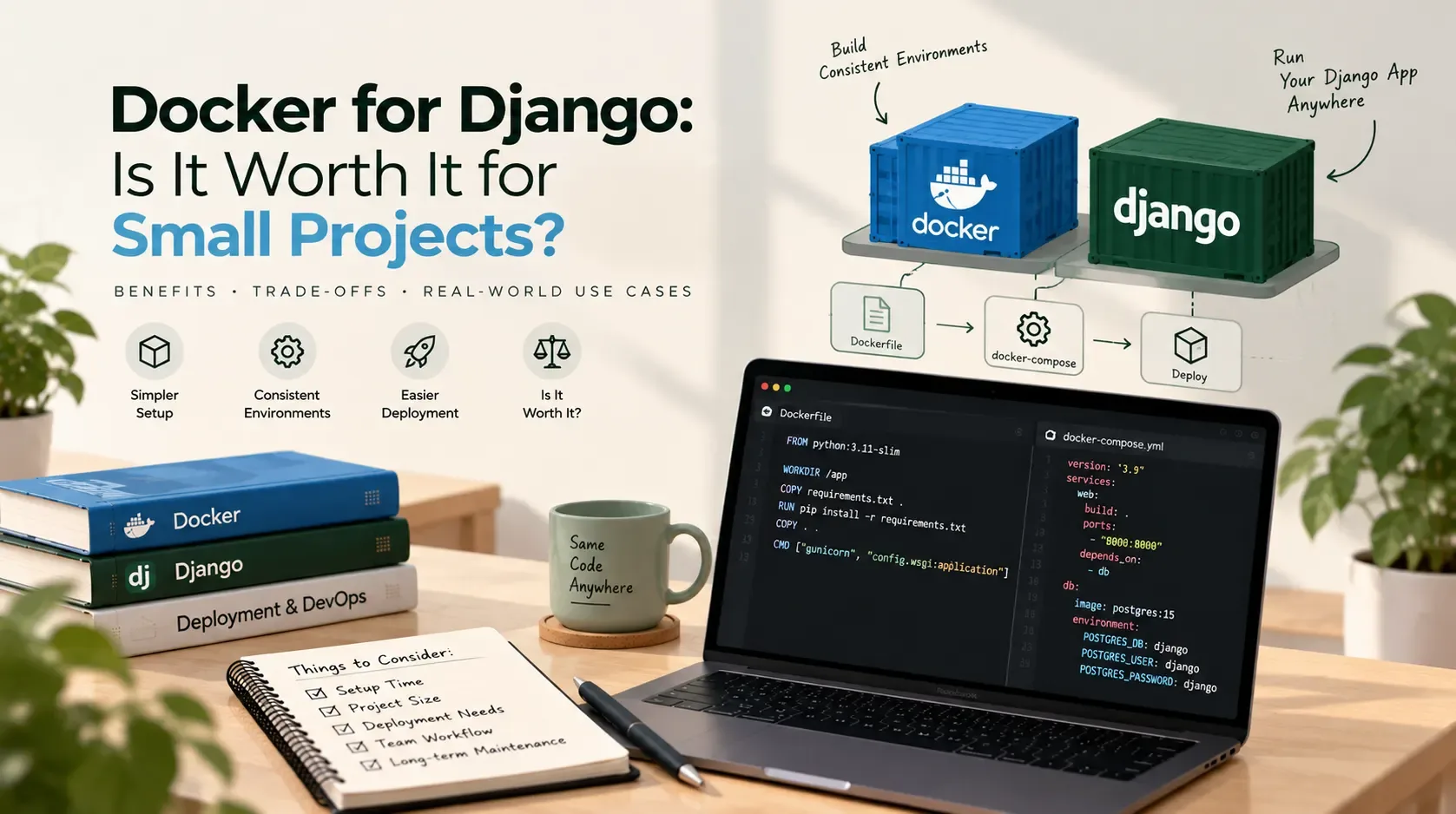
Docker for Django: Is It Worth It for Small Projects?
Docker has a way of appearing in almost every modern development discussion. You start a Django project, look at deployment tutorials, and soon you are writing a Dockerfile, configuring Docker Compose, setting environment variables, and running a database in another container.
But does every small Django project need all of that?
Not necessarily. Docker can make development and deployment more consistent, especially when a project has several dependencies or needs to run in multiple environments. For a small application with one developer, a straightforward setup, and a simple hosting target, it can also introduce extra files and concepts without solving an immediate problem.
The useful question is not whether Docker is good. It is whether Docker solves a real problem in your project.
This article looks at the trade-offs for small Django applications, using general technical research and official documentation rather than assuming every project needs the same deployment architecture.
What Docker actually adds to a Django project
Docker packages an application and its runtime dependencies into an image that can run as a container. Instead of relying entirely on what happens to be installed on each developer's computer or server, you define much of the environment in configuration.
For a Django application, a containerized setup might include:
- A web container running Django through a production server such as Gunicorn.
- A PostgreSQL container for local development.
- A separate worker container if the project uses background jobs.
- A reverse proxy or other supporting services, depending on the architecture.
- Docker Compose configuration for running the pieces together.
Docker containers are not virtual machines: they share the host operating system's kernel, while providing isolated processes and environments. The main benefit is repeatability and portability, not magic performance or automatic security.
Docker's official overview explains the role of containers in packaging, testing, sharing, and deploying applications: What is Docker?.
The case for Docker—even on a small project
1. A more predictable development environment
One developer has Python version A, another has Python version B, and the production server has a different set of system libraries. The application works locally but fails somewhere else.
A Dockerfile lets a team define the Python runtime, install dependencies, and document how the application should start. That reduces reliance on undocumented machine-specific setup.
This is especially useful when:
- More than one developer contributes to the project.
- New team members need to set up the project quickly.
- The app depends on native system libraries or command-line tools.
- Local development should resemble the production environment.
- CI needs a repeatable way to build and test the app.
Docker does not eliminate all environment differences. Operating systems, CPU architectures, environment variables, external services, and production configuration can still differ. It does, however, make the environment easier to describe and reproduce.
2. Easier local services with Docker Compose
A Django app may depend on PostgreSQL, Redis, or another service. Installing and maintaining each dependency directly on every developer's machine can become tedious.
Docker Compose can define several services in one configuration file and start them together. For example, a small project might run Django and PostgreSQL locally using a compose.yaml file.
That is convenient when a project has multiple moving parts. It is less compelling when the application only needs Python, Django, and a simple local database.
3. A clearer path from development to deployment
If your hosting platform supports containers, the image you test can become the artifact you deploy. This creates a consistent handoff between development, testing, and production.
A container can also make it easier to move an application between compatible environments. But Docker does not decide where the app runs, provision your cloud infrastructure, configure HTTPS, manage database backups, or monitor production. Those responsibilities still need a plan.
For a Django production deployment, you must also configure security settings, static files, error reporting, environment-specific values, and an appropriate WSGI or ASGI server. The Django deployment documentation and deployment checklist remain important whether or not you use Docker.
4. More repeatable testing and CI
A continuous integration pipeline can build a container image and run automated tests in a defined environment. That can reduce differences between local testing and CI.
This matters if the project has automated tests, several contributors, or a release process that needs repeatability. If you are building a one-off prototype and rarely run tests, containerizing the whole stack may not deliver much immediate value.
The case against Docker for a small Django app
Docker has real benefits, but it is not free of complexity.
1. There is more configuration to learn and maintain
A small Django app without Docker might need a virtual environment, a dependency file, environment variables, and clear run instructions.
A Dockerized version might add:
- A Dockerfile.
- A Compose file.
- Build and runtime configuration.
- Container networking and service names.
- Volume configuration for local data.
- Container-specific environment variables.
- Image rebuild and troubleshooting steps.
- Additional deployment and logging decisions.
These files are not inherently bad. They become overhead when nobody needs the capabilities they provide or when the configuration is copied from a tutorial without being understood.
2. Debugging can have an extra layer
When something breaks, you may need to determine whether the issue is in Django, Python dependencies, the image build, the container's environment, networking, mounted files, or the database service.
An experienced team can work through these layers efficiently. For a beginner building a small CRUD app, learning Docker and Django at the same time can make the source of an error harder to isolate.
3. Persistence and local data need attention
A container's writable layer is not a substitute for persistent storage. If a database container is removed without a correctly configured volume or another persistence strategy, its data may be lost.
Local uploads and generated files also need deliberate storage configuration. Production media files usually should not depend on the short-lived writable layer of an application container.
4. Docker does not automatically make production safer
A container can still run an insecure application, expose secrets, use vulnerable dependencies, or run with excessive privileges. Containerization is one part of an operational setup, not a replacement for security work.
You still need to protect credentials, keep dependencies maintained, restrict access, configure the application correctly, and plan for backups and updates.
5. Deployment may already be simple without it
Some platforms support deploying Django directly from a repository or through a managed build process. If your chosen host handles the runtime and deployment workflow well, Docker may be optional.
Conversely, if your target infrastructure expects container images, using Docker locally can make sense from the beginning. Let the actual deployment target influence the decision.
Docker or a Python virtual environment?
These tools solve different problems.
| Question | Python virtual environment | Docker |
|---|---|---|
| Isolate Python package dependencies? | Yes | Yes, as part of the container environment |
| Define the Python runtime and system packages? | Partially; system-level dependencies remain on the host | More explicitly through the image |
| Run PostgreSQL or Redis as separate local services? | Not by itself | Yes, often through Docker Compose |
| Share a repeatable environment with a team? | Possible, but relies more on host setup | Often more reproducible |
| Add configuration and learning overhead? | Usually lower for simple Python apps | Usually higher initially |
| Required for Django? | No, but a virtual environment is generally useful | No |
A virtual environment is often enough to isolate a small Django project's Python packages. Docker becomes more useful when you also need to standardize the runtime, system dependencies, and supporting services.
They can also be used together: a developer may use a local virtual environment for Python while running PostgreSQL in Docker, or run the entire development stack in containers. You do not have to choose one universal approach for every part of the project.
Three examples: when Docker is worth it
Scenario A: A small personal portfolio site
Imagine a Django site with a few pages, a contact form, and a small database. One developer maintains it, the dependency stack is straightforward, and the chosen host provides a simple deployment process.
Recommendation: Docker is optional.
A virtual environment, pinned dependencies, environment-based configuration, version control, backups, and a careful deployment checklist may be enough. Add Docker if you want to learn it, need a repeatable environment, or expect the project to grow—but do not assume it is a requirement.
Scenario B: A client portal with a database and integrations
Now imagine a portal with user accounts, PostgreSQL, scheduled jobs, external APIs, and separate development and production environments. More than one person may work on it, and the application needs a reliable handover.
Recommendation: Docker is worth considering.
Docker Compose can standardize local dependencies and make the development setup easier to reproduce. A container image can also fit into a CI/CD process if the production environment supports it.
Still, keep the setup proportional. Start with the services you actually use instead of introducing a queue, cache, reverse proxy, and multiple containers just because a template includes them.
Scenario C: A prototype that may be discarded next week
Suppose you are testing an idea to see whether users want a particular feature. The project is temporary, the deployment is basic, and speed of iteration matters more than environment portability.
Recommendation: keep it simple at first.
Use the smallest setup that lets you validate the idea safely. If the prototype becomes a real product, you can revisit containerization when the team, dependencies, or deployment requirements justify it. Avoid spending days building infrastructure for a project whose direction is still uncertain.
A minimal Docker setup for Django
If you decide to use Docker, begin with a small, understandable configuration. The following example illustrates the shape of a development setup. It is not a complete production deployment.
Example Dockerfile
FROM python:3.12-slim

ENV PYTHONDONTWRITEBYTECODE=1
ENV PYTHONUNBUFFERED=1

WORKDIR /app

COPY requirements.txt .
RUN pip install --no-cache-dir -r requirements.txt

COPY . .

EXPOSE 8000

CMD ["python", "manage.py", "runserver", "0.0.0.0:8000"]
This example uses Django's development server, so it is intended for local development only. Django explicitly warns that runserver is not suitable for production. Production should use an appropriate WSGI or ASGI server and a deployment configuration designed for the target environment.
For a production image, consider a non-root runtime, a maintained base image, dependency pinning, a build/runtime separation where useful, and a production server such as Gunicorn for a WSGI application. The exact implementation depends on the project and hosting environment.
Example Compose file for local development
If your application uses PostgreSQL, Compose can run it alongside Django:
services:
  web:
    build: .
    command: python manage.py runserver 0.0.0.0:8000
    ports:
      - "8000:8000"
    environment:
      DJANGO_DEBUG: "1"
      DATABASE_HOST: db
      DATABASE_NAME: app_db
      DATABASE_USER: app_user
      DATABASE_PASSWORD: local_dev_password
    depends_on:
      - db

  db:
    image: postgres:16
    environment:
      POSTGRES_DB: app_db
      POSTGRES_USER: app_user
      POSTGRES_PASSWORD: local_dev_password
    volumes:
      - postgres_data:/var/lib/postgresql/data

volumes:
  postgres_data:
This is a teaching example, not a drop-in configuration. Your Django settings must read the corresponding environment variables, and you should use versions supported by your project. The sample password is for a local-only demonstration and must not be reused in production. In real projects, keep secrets out of committed configuration and use a suitable secret-management approach.
The named volume postgres_data is intended to preserve the local database data beyond the lifecycle of an individual container. Understand the difference between stopping a container and deleting volumes before using cleanup commands.
You can start the stack with:
docker compose up --build
Then run Django management commands inside the web service, for example:
docker compose exec web python manage.py migrate
If the database has not finished initializing when Django starts, you may need a health check or application-level retry logic. depends_on by itself does not guarantee that the database is ready to accept connections in every Compose configuration.
For a maintained, end-to-end example, Docker also provides an official guide to containerizing a Django application.
Common mistakes to avoid
If you use Docker for Django, keep these pitfalls in mind:
- Copying a tutorial without understanding it. Know what each service, volume, port, and environment variable does.
- Using the development server in production. Replace
runserverwith a suitable production server and deployment configuration. - Baking secrets into the image. Do not copy production
.envfiles or credentials into an image layer. - Ignoring persistent storage. Plan how database data and user uploads are stored and backed up.
- Using floating or unreviewed image tags without a policy. Choose supported versions and update them deliberately.
- Assuming containers equal security. Apply normal application, dependency, host, and network security practices.
- Adding services prematurely. Every extra service increases the configuration and operational surface area.
- Forgetting Django's deployment checks. Review production settings and run
python manage.py check --deploywith the appropriate settings.
A practical decision checklist
Docker is more likely to be worth the effort if several of these are true:
- More than one developer needs the same local environment.
- The app depends on multiple services such as PostgreSQL, Redis, or a worker.
- System packages or runtime versions frequently cause setup problems.
- CI needs to build and test the same type of artifact that will be deployed.
- The hosting platform expects containers.
- You need a repeatable setup for onboarding or project handover.
You can probably defer Docker if most of these are true:
- The project is small and maintained by one developer.
- It has few dependencies and no complicated supporting services.
- Your host already provides a straightforward deployment workflow.
- You can document and reproduce the environment without much effort.
- Container configuration would delay delivery without addressing a current risk.
This is a decision aid, not a strict rule. One important deployment requirement can outweigh several other factors.
So, is Docker worth it for small Django projects?
Use Docker when it reduces meaningful friction—not because every modern project is expected to use it.
For a small, straightforward Django app, a Python virtual environment and a clear deployment process may be entirely reasonable. For a team project with several dependencies, repeated setup issues, or a container-based production target, Docker can pay for its additional configuration by making the environment more reproducible.
Start from the problem. If the problem is inconsistent environments, containerization may help. If the problem is unclear Django settings, missing tests, weak backups, or an insecure deployment, Docker alone will not fix it.
The goal is not to use the most tools. It is to ship an application that is understandable, maintainable, and appropriate for the people who will run it.
If you're planning a Django application and need help thinking through its architecture or deployment requirements, you can contact Sajid Kalam.