
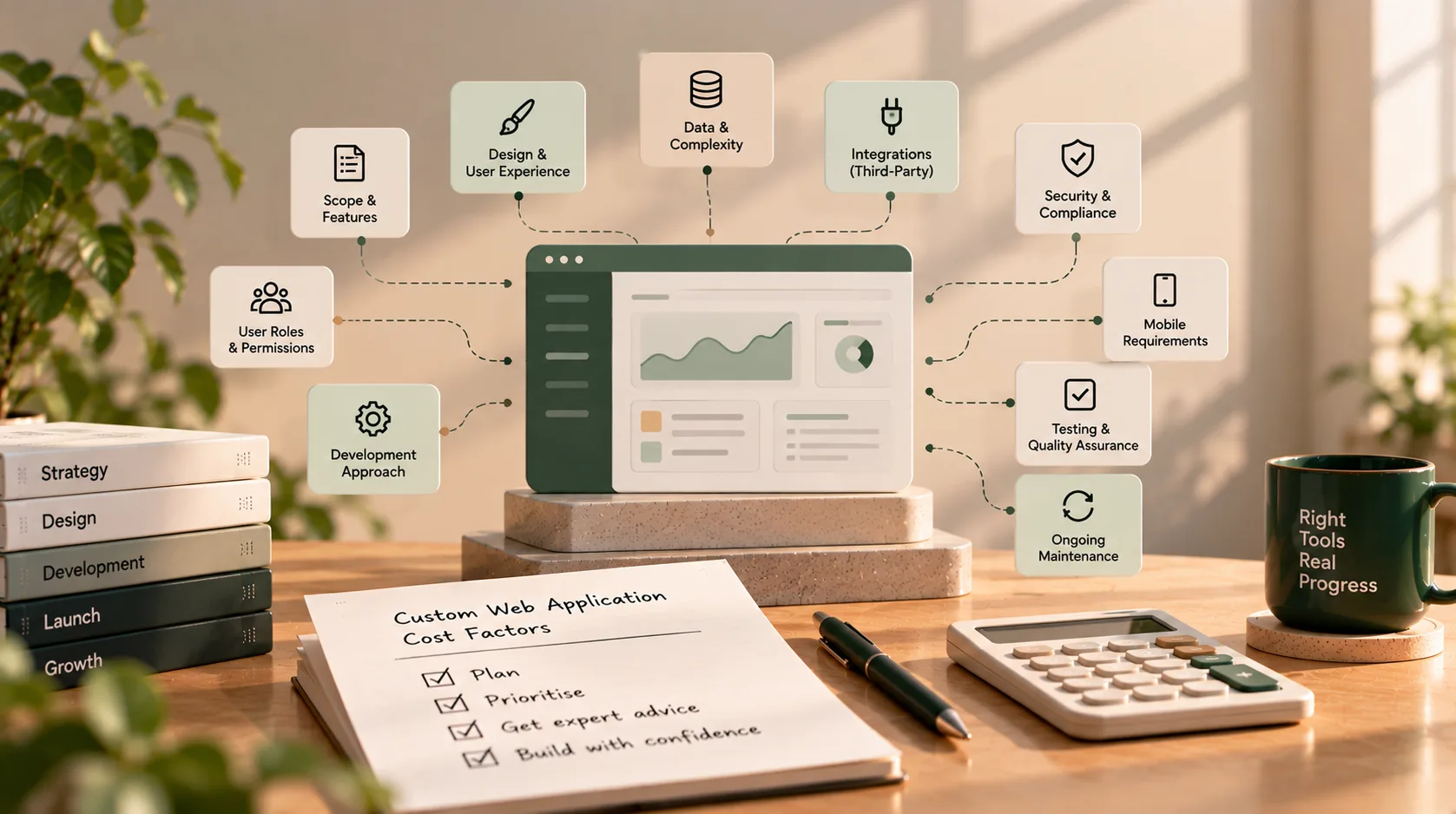
What Changes the Cost of a Custom Web Application?
If you have started planning a custom web application, one of the first questions is probably: How much will it cost?
It is an important question, but there is no reliable single price for every custom application. A simple internal tool and a customer-facing platform with multiple user roles, complex workflows, external integrations, and sensitive data are very different projects even if both are described as “web apps.”
The most useful way to understand custom web application cost is to look at what the application must do, how reliably it must do it, and what work is included before and after launch.
This guide explains the main factors that affect a development estimate, the costs that are easy to overlook, and how to prepare a brief that helps you receive more comparable proposals. It deliberately avoids generic price ranges: without a defined scope, a number can create false confidence rather than help you budget.
The short answer: what determines custom web application cost?
A developer or agency usually needs to understand several things before estimating a project:
- The workflows the application must support
- The number and types of users, roles, and permissions
- The data the application stores, processes, imports, or exports
- The design and user experience required
- The external services and existing systems it must connect to
- The security, reliability, accessibility, and performance expectations
- The testing, deployment, documentation, and support included in the engagement
These factors interact. For example, adding a new user role may require more than another screen: it can affect data permissions, approval rules, notifications, tests, and reporting. That is why screen count alone is a weak way to estimate a web application.
1. Scope and workflow complexity
Scope is one of the biggest influences on a project estimate. A feature list tells a developer what you want to see in the product; a workflow explains what the product must actually do.
Consider an employee expense tool. A basic version might let employees submit an expense and view its status. A more involved version might include manager approvals, department budgets, receipt extraction, accounting integration, rejection reasons, audit history, and rules for different locations.
Those requirements introduce additional logic and exceptions that need to be designed, built, and tested.
To make the scope clearer:
- Describe the main task each user needs to complete.
- List the steps from start to finish.
- Identify who can approve, edit, reject, or cancel each step.
- Write down important exceptions, such as missing information or failed payments.
- Separate essential launch features from improvements that can wait.
A focused first release is often easier to estimate than a large list of loosely defined features. Keep the outcome you need, but challenge requirements that do not support it.
2. Number of user roles and permissions
The number of people who use an application is not the only consideration. What matters is what each type of user is allowed to do and see.
A portal with customers, staff, managers, and administrators may need separate dashboards, permissions, actions, and approval paths. A system that stores sensitive information may also need more detailed access rules and audit trails.
When preparing a brief, specify:
- Each user role and its purpose
- Which records each role can view or change
- Which actions require approval
- Whether users belong to separate organisations, teams, branches, or locations
- What needs to be recorded for accountability
Avoid vague requirements such as “role-based access.” Describe the real permissions that matter to your business.
3. Data structure, migration, and reporting
Applications that store a few straightforward records have different requirements from systems that connect customers, transactions, documents, appointments, inventory, and reports.
Cost can change depending on:
- The relationships between different types of data
- Validation and business rules
- Search, filtering, exports, and reporting
- Data retention and audit history
- Importing data from spreadsheets or an existing application
- Cleaning duplicates, incomplete records, or inconsistent formats
Data migration deserves special attention. Moving existing data is not always a simple upload. The team may need to map old fields to new ones, clean records, test an import, verify sample results, and agree how to handle errors.
If you already have data, share a representative sample or a description of its structure during planning. Confirm who is responsible for cleaning it and approving the migrated result.
4. Design and user experience
A custom application needs to be usable by the people who rely on it. The level of design work affects both the project plan and the effort required.
For example, adapting a consistent set of interface components is different from creating a highly bespoke experience with complex interactions, multiple responsive layouts, and detailed prototypes.
Be clear about whether your project needs:
- A practical internal interface or a polished customer-facing experience
- Wireframes and clickable prototypes
- Custom visual branding
- Responsive layouts for desktop, tablet, and mobile browsers
- Accessibility considerations
- Usability testing with representative users
Design is not just decoration. Clear workflows can reduce errors and training effort. The goal is to choose a design process that matches the product's users and risks rather than adding visual complexity without a business reason.
5. Integrations with other systems
An integration can connect your application to a payment provider, CRM, accounting platform, calendar, email service, messaging tool, inventory system, or an internal database.
The cost depends on what the integration must do not merely on the name of the service.
For every integration, document:
- The system and the account or API access available
- Which data needs to move between systems
- The direction and frequency of data transfer
- Whether updates happen instantly, on a schedule, or when a user acts
- How authentication and permissions work
- What should happen when a request fails or data does not match
- Whether the provider charges separate subscription or usage fees
A well-documented API with clear requirements may be straightforward to work with. An older system, restricted API, incomplete documentation, or unreliable connection can introduce investigation and error-handling work.
Do not assume that “integrate with our CRM” is enough detail for a dependable estimate. Name the CRM, describe the required data flow, and identify the business outcome.
6. Security, privacy, and compliance requirements
Security expectations should be discussed at the beginning, not added as a final checklist just before launch.
Requirements vary by the type of information handled and the consequences of unauthorised access. An application may need stronger authentication, fine-grained permissions, audit logs, encryption, secure file handling, retention rules, or additional review processes.
If the application handles health, financial, employee, or other sensitive information, identify the applicable legal, contractual, and organisational requirements with the appropriate specialists. Do not rely on a generic statement that an application will be “fully compliant.” Ask which specific requirements are in scope and what evidence or review is expected.
Security-related work can affect architecture, implementation, testing, deployment, and ongoing operations. The estimate should say what is included and what remains the client's responsibility.
7. Performance, reliability, and expected growth
A tool used by a small internal team has different operational demands from a public application with unpredictable traffic or business-critical availability needs.
Discuss:
- Expected user activity and busy periods
- How quickly important actions should respond
- The size and growth of the data set
- Backup and recovery expectations
- Monitoring and alerting
- Availability requirements
- Whether background jobs, caching, or specialised infrastructure may be needed
It is rarely useful to pay for elaborate scaling before the product needs it. It is also risky to ignore foreseeable requirements that would be expensive to retrofit. The goal is to design for realistic needs and known growth, then validate assumptions through testing.
8. Web application versus mobile app
A responsive web application can work across desktop and mobile browsers. A native mobile app or a separate mobile application experience may involve additional design, development, testing, release, and maintenance work.
Clarify what users actually need. Do they need to access the system from a phone browser, or do they require device-specific capabilities, app-store distribution, offline behaviour, or deeper integration with the device?
If mobile apps are a possibility but not essential to the first release, ask for them to be estimated as a separate phase. This makes the initial decision easier to evaluate without losing sight of the longer-term roadmap.
9. Testing, deployment, and handover
A development estimate should cover more than writing code. The application also needs to be checked, released, and handed over in a way that lets the business operate it.
Ask whether the proposal includes:
- Functional testing of key workflows
- Permission and access-control checks
- Integration and failure-path testing
- Browser and responsive checks
- Performance or security testing appropriate to the project
- Production setup and deployment
- Backup and recovery configuration
- Documentation and administrator training
- A defined handover and acceptance process
The exact testing approach should match the risk and complexity of the application. A simple internal tool and a business-critical platform will not need identical levels of assurance.
Make acceptance criteria explicit. For each important workflow, define what must work for the business to consider it complete.
10. Team structure, communication, and project uncertainty
The people doing the work and the way the project is managed also affect an estimate. Different teams may include different combinations of engineering, design, quality assurance, project management, and specialist support.
A quote can also change when requirements are unclear or key decisions are delayed. If the team cannot confirm what a feature means, it may need to make assumptions or spend additional time investigating before it can estimate confidently.
You can reduce uncertainty by:
- Assigning one person to make or coordinate product decisions
- Providing timely access to relevant systems and stakeholders
- Sharing existing documentation and examples
- Agreeing how new requests will be evaluated
- Scheduling regular reviews and acceptance checkpoints
- Asking vendors to list assumptions and exclusions in writing
The cheapest initial proposal is not necessarily the least expensive project to complete. Compare the scope, delivery process, quality checks, and responsibilities not only the headline total.
11. Ongoing costs after launch
The initial build is only one part of owning a web application. After launch, you may need to pay for infrastructure, third-party services, maintenance, support, monitoring, and future improvements.
Depending on the application, ongoing expenses may include:
| Cost category | What to clarify |
|---|---|
| Hosting and infrastructure | Which environments, storage, backups, and monitoring are included? |
| Third-party services | Are there subscription, transaction, message, or usage charges? |
| Maintenance | Who applies dependency updates and security patches? |
| Support | What response times, hours, and types of issues are covered? |
| Enhancements | How are new features and changes requested and estimated? |
| Internal ownership | Who manages accounts, access, content, data, and operational decisions? |
Ask for the cost of running the application to be described separately from the initial development scope. Confirm when any included support period starts and ends, what it covers, and what happens afterward.
How to compare custom web application quotes
If you receive proposals from multiple developers or agencies, make sure each is based on the same brief. Otherwise, you may be comparing different deliverables.
Use this checklist when reviewing each quote:
| Item to compare | Questions to ask |
|---|---|
| Scope | Which workflows and features are included in the first release? |
| Assumptions | What has the supplier assumed because requirements are not yet confirmed? |
| Exclusions | Which features, integrations, or services are not included? |
| Design | Are discovery, wireframes, prototypes, and responsive layouts included? |
| Data | Does the estimate include migration, cleanup, and verification? |
| Integrations | Which systems and exact data flows are covered? |
| Quality | What testing and acceptance criteria are included? |
| Deployment | Who sets up production and configures backups and monitoring? |
| Handover | Who owns the code, accounts, documentation, and data? |
| Support | What is covered after launch, and for how long? |
| Change requests | How are changes to the agreed scope estimated and approved? |
A clear proposal should explain what the supplier will deliver, how completion will be assessed, and what is not included. If a major requirement is uncertain, ask for a discovery phase or a separately priced option rather than treating an unverified assumption as a fixed commitment.
A practical way to prepare your budget
You do not need a complete technical specification before having an initial conversation. You do need enough clarity to explain the business problem and the first version you want to launch.
Start with these steps:
- Define the outcome. What should the application help your business, staff, or customers accomplish?
- Choose the first-release workflows. Identify the essential tasks that must work at launch.
- Describe the users and permissions. State who uses the application and what each role can do.
- List data and integrations. Include existing records, external platforms, and required data flows.
- Identify constraints. Note security, privacy, performance, accessibility, and launch requirements.
- Separate essentials from later phases. Keep optional features visible without making every one a launch requirement.
- Ask for a written estimate. Require assumptions, exclusions, milestones, acceptance criteria, and ongoing costs to be documented.
This approach gives a developer a more useful basis for estimation and gives you a clearer way to compare proposals.
Frequently asked questions
Why can two quotes for the same web application be so different?
They may not cover the same scope. One proposal might include only core development, while another includes discovery, design, migration, testing, deployment, documentation, and support. Compare the assumptions and deliverables line by line before deciding which quote offers better value.
Does adding more screens always increase the cost?
Not in a predictable one-to-one way. A simple screen can be relatively straightforward, while one screen with complex permissions, calculations, approval rules, or real-time data may require substantial work. Focus on the workflow and logic behind each screen.
Can I reduce the cost by launching an MVP?
A well-defined MVP can reduce the amount of work in the first release by focusing on the core problem. It should still be secure, tested, usable, and deployable. An MVP is a focused product not an excuse to omit essential quality or access controls.
Should I build everything from scratch?
Not necessarily. Existing software, managed services, reusable components, or low-code tools may cover part of the requirement. Custom development is most compelling when the workflow or product needs justify the additional ownership and maintenance. Evaluate the build-versus-buy decision before committing to a full custom build.
What should be included in a development proposal?
At minimum, ask for scope, deliverables, assumptions, exclusions, milestones, payment terms, testing and acceptance criteria, deployment responsibilities, ownership of code and accounts, and post-launch support. The more clearly these are documented, the easier it is to manage expectations.
Plan your custom web application with a clearer scope
The cost of a custom web application is shaped by the decisions behind it: workflows, roles, data, integrations, design, security, reliability, and the work required to operate it after launch.
You do not need to specify every technical detail on day one. Start by describing the business problem, the people who need to solve it, and the essential workflows for the first release. Then ask for an estimate that makes its assumptions and exclusions clear.
If you are planning a web application and want to discuss your requirements, priorities, or technical approach, get in touch. A clear scope is a practical first step toward a more reliable estimate.